
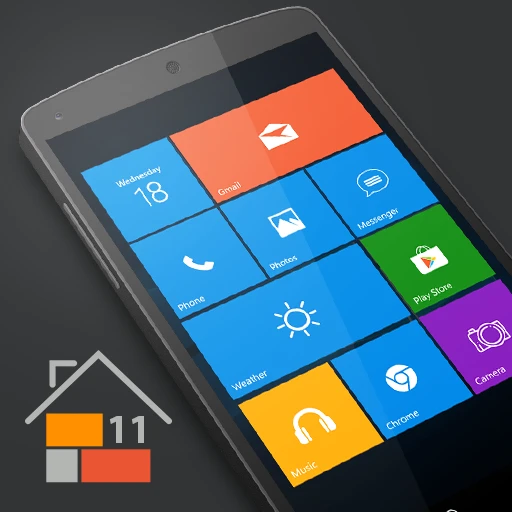
Win 11 Launcher
DownloadApp details
- Version
- 9.93
- Updated
- 07.10.2026
- Category
- Systemic
- Compatibility
- Android 12+
- Package name
com.real.launcher.wp.ten- Developer
- Spark Planet
- Source
- Official Google Play page
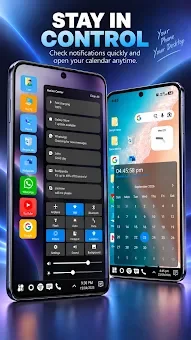
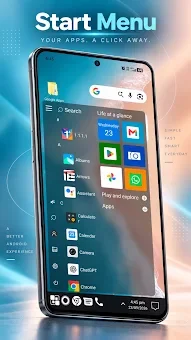
Are you tired of the standard Android interface and craving a familiar desktop experience on your mobile device? Win 11 Launcher brings the iconic look and feel of Windows to your smartphone, offering a fresh and modern aesthetic that stands out from the crowd. This APK application is designed for users who appreciate the clean, organized layout of Windows 11 and Windows 10, allowing you to customize your phone with a unique visual identity that is both stylish and functional.
The launcher focuses on delivering a fast, clean, and energy-efficient user experience. By optimizing resource usage, it ensures your device remains responsive without draining the battery unnecessarily. You can easily navigate through your apps using a streamlined interface that mimics the desktop environment, complete with easy access to frequently used applications and a simplified navigation structure that reduces clutter and enhances productivity.
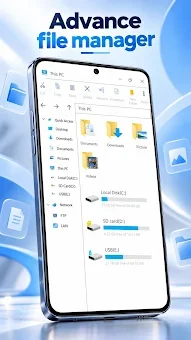
One of the standout features is the integrated File Manager, which gives you full control over your device's storage. You can cut, copy, paste, and rename files with ease, create folders for better organization, and even view detailed file properties. Additionally, the launcher supports zip and unzip functions directly within the interface, making it a convenient tool for managing archives without needing a separate application.
This level of control is rare in standard Android launchers. Customization is at the heart of Win 11 Launcher.
How to install the app
- Check the version, Android compatibility, developer and source in the app details block.
- Open the Downloads tab and use the official source or an available catalog link.
- Before installing, review app permissions and use only sources you trust.
Frequently asked questions
What is Win 11 Launcher?
It is an Android application that transforms the standard mobile interface into a Windows 11 and Windows 10 style desktop experience with tiles and folders.
Does it include a file manager?
Yes, the launcher includes a comprehensive file manager that allows you to cut, copy, paste, rename files, create folders, and manage zip archives easily.
Is it energy efficient?
The application is designed to be fast and energy efficient, ensuring that your device's battery life is preserved while enjoying a modern and customized interface.
Can I customize the appearance?
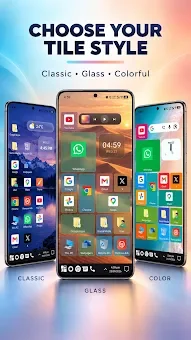
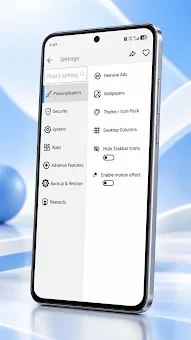
Absolutely. You can customize theme colors and arrange your apps in stylish tiles, giving you full control over the visual aesthetic of your Android device.
Similar apps






No comments yet. Be the first!