

ZArchiver
DownloadApp details
- Version
- 1.0.10
- Updated
- 11.10.2026
- Category
- Tools
- Compatibility
- Android
- Package name
ru.zdevs.zarchiver- Source
- Official Google Play page
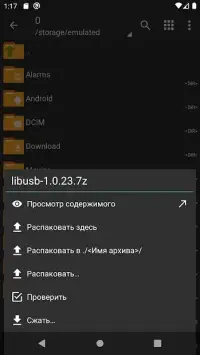
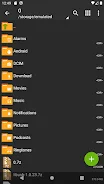
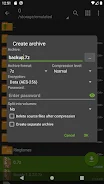
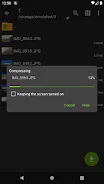
ZArchiver is a powerful archive management tool that allows users to work efficiently with application backups. With its simple and functional interface, the app does not require internet access, ensuring that your data remains secure and is never shared with third parties. It supports the creation of various archive types including 7z, zip, bzip2, gzip, XZ, lz4, tar, and zst.
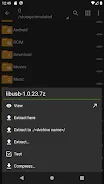
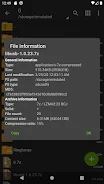
Users can easily unpack archives in formats such as 7z, zip, rar, bzip2, gzip, and many more. The ability to view archive contents adds to its utility, making it a versatile tool for both casual users and professionals alike. One of the standout features of ZArchiver is its capability to create and extract password-protected archives, ensuring that sensitive files are kept secure.
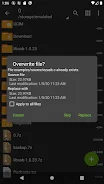
Additionally, users can edit archives by adding or removing files, and manage multi-part archives with ease. Whether you are creating 7z files or unpacking rar files, ZArchiver simplifies the process significantly. The app also allows for the installation of APK and OBB files from backups, catering to gamers and software developers who need quick access to their files.
ZArchiver is particularly beneficial for those who frequently handle files and require a reliable tool for archive management. It is suitable for everyday users as well as data processing professionals. By providing a balance of simplicity and efficiency, ZArchiver stands out as a comprehensive solution for managing archives.
With this app, you can effortlessly create, unpack, and edit archives while keeping your data secure and organized.
How to install the app
- Check the version, Android compatibility, developer and source in the app details block.
- Open the Downloads tab and use the official source or an available catalog link.
- Before installing, review app permissions and use only sources you trust.
Frequently asked questions
What types of archives can ZArchiver create?
ZArchiver can create archives in formats such as 7z, zip, bzip2, gzip, XZ, lz4, tar, and zst.
Is ZArchiver safe to use?
Yes, ZArchiver does not require internet access, ensuring your data remains secure and private.
Can I extract password-protected archives with ZArchiver?
Yes, ZArchiver supports creating and extracting password-protected archives.
Does ZArchiver support multi-part archives?
Yes, ZArchiver allows users to create 7z files and unpack rar multi-part archives.
Similar apps
No comments yet. Be the first!