
Zip Extractor - UnZIP, UnRAR
DownloadApp details
- Version
- 1.0.30
- Updated
- 14.10.2026
- Category
- Tools
- Compatibility
- Android 7.0+
- Package name
zip.unzip.zipextractor.rarextract.filemanager.zipfile- Source
- Official Google Play page
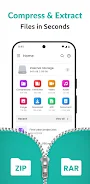
Zip Extractor - UnZIP, UnRAR is a user-friendly application designed to help you extract Zip or Rar archives on your Android devices. This powerful file management tool allows you to easily open 7zip, ZIPX, JAR, and other compressed files, keeping your data organized. With this app, you can quickly extract photos, documents, and videos right from your phone, making it an essential zip extractor for everyday use.
With Zip Extractor, you can forget about the hassle of unpacking files! Just select the file, and the app will extract it in seconds. You don't need to be a tech expert; this Zip and Rar extractor does all the work for you.
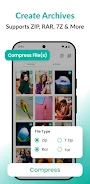
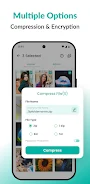
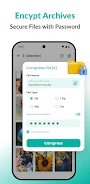
Additionally, you can compress files using our ZIP compressor, which reduces their size for easy sharing and saves space on your device. You also have the option to password-protect your files for added privacy. Zip Extractor supports various formats, including ZIPX, JAR, GZ, TGZ, BZ2, and more.
No matter the format you use, this zip extractor is always ready to assist. Need to extract multiple files at once? No problem!
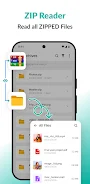
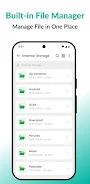
The Zip File Extractor allows you to select a group of files and extract them all at once, saving you time and helping you stay organized. The built-in file viewer lets you preview documents, photos, and videos after extraction, making Zip Extractor a convenient file manager. Sharing extracted files has never been easier; simply select the file and share it with friends, family, or colleagues via email or social media.
Zip Extractor - UnZIP, UnRAR is the perfect solution for those seeking a convenient and efficient way to manage files on their Android devices. The app features a simple and intuitive interface that enhances your productivity. For suggestions or feedback, please contact us at [email protected].
How to install the app
- Check the version, Android compatibility, developer and source in the app details block.
- Open the Downloads tab and use the official source or an available catalog link.
- Before installing, review app permissions and use only sources you trust.
Frequently asked questions
What file formats does Zip Extractor support?
Zip Extractor supports various formats including ZIP, RAR, ZIPX, JAR, GZ, TGZ, and BZ2.
Can I compress files using this app?
Yes, you can compress files to reduce their size for easier sharing.
Is there a way to password-protect my files?
Yes, the app allows you to set passwords on your compressed files for added security.
How can I share extracted files?
You can easily share extracted files via email or social media directly from the app.




No comments yet. Be the first!