
Adobe Acrobat Reader
Open in Google PlayApp details
- Version
- 26.9.1.49959 (1932149959)
- Updated
- 14.11.2021
- Category
- Android applications
- Package name
com.adobe.reader- Developer
- Adobe
- Source
- Official Google Play page
Adobe Acrobat Reader is the leading software solution designed specifically for viewing, editing, and sharing PDF files on Android devices. It serves as a comprehensive tool for users who need to interact with documents efficiently, whether for work, study, or personal organization. The application ensures that your PDFs open quickly and render accurately, preserving the original formatting, fonts, and layout exactly as the creator intended.
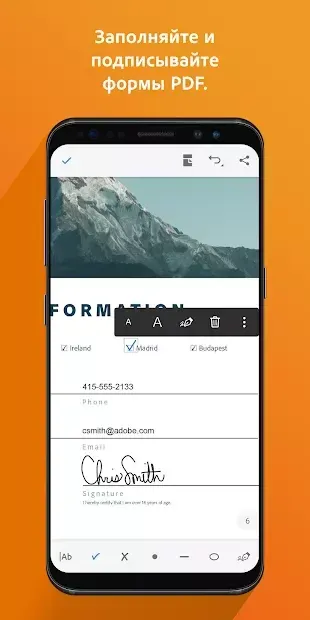
This makes it an essential utility for anyone dealing with digital paperwork, contracts, or reports. Beyond simple viewing, the app offers robust editing capabilities that allow you to modify text and images directly within the document. You can add comments, highlight important sections, and fill out forms without needing to export to another program.
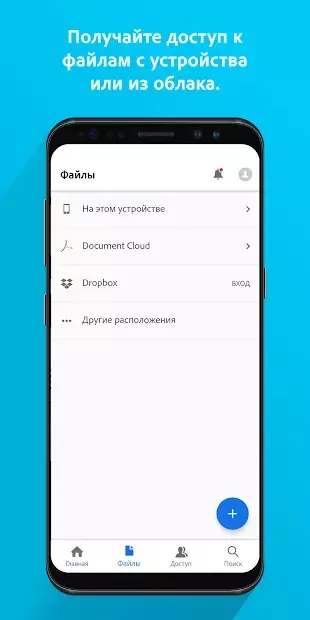
The interface is intuitive, enabling you to navigate through pages seamlessly and manage multiple documents with ease. Users can also annotate pages with notes, making it perfect for reviewing drafts or collaborating with colleagues on shared projects. Cloud integration is a standout feature, allowing you to upload, store, and access your files from various cloud services.
This means you can start a document on your phone and continue working on it on your tablet or computer without losing progress.
How to install the app
- Check the version, Android compatibility, developer and source in the app details block.
- Open the official app page on Google Play if a link is available.
- Before installing, review app permissions and use only sources you trust.
Frequently asked questions
Can I edit PDF text directly in Adobe Acrobat Reader?
Yes, the application allows you to modify text and images within your PDF documents without needing to convert them to other formats first.
Does the app support cloud storage integration?
Absolutely, you can upload, store, and access your PDF files from major cloud services, ensuring your documents are always backed up and accessible.
Is Adobe Acrobat Reader free to use on Android?
The core features for viewing and basic editing are available for free, offering a powerful tool for managing PDF documents on any Android device.
Similar apps






No comments yet. Be the first!