
Adobe Premiere
DownloadApp details
- Version
- 26.1.1
- Updated
- 28.09.2026
- Category
- Multimedia
- Compatibility
- Android 13+
- Package name
com.adobe.premiere- Developer
- Adobe
- Source
- Official Google Play page
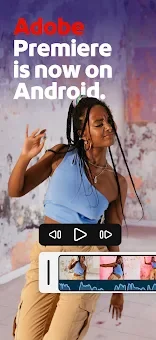
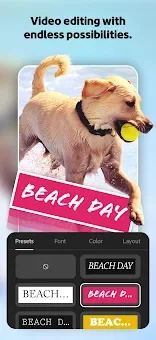
Adobe Premiere Mobile Early Access represents a significant leap forward in mobile video editing, crafted specifically for Android content creators. As one of the first users to access this innovative tool, you gain the unique opportunity to test cutting-edge features and directly influence the final product's development. This early release stage may contain minor inaccuracies, but your private feedback plays a crucial role in shaping the app's future updates and improvements.
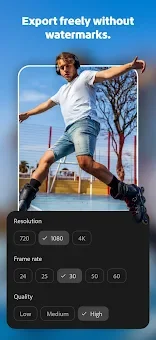
It is a rare chance to be part of the editing process from the ground up. Positioned as the only mobile video editor that combines quality, simplicity, and cost-effectiveness, Adobe Premiere allows you to create professional-grade content right from your smartphone. The application operates without ads and watermarks, ensuring a clean and convenient editing workflow.
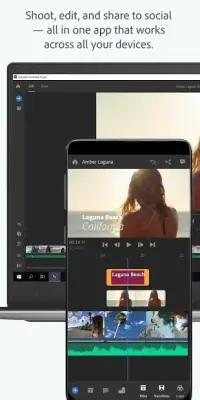
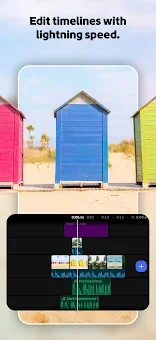
You get access to a precise, multi-track timeline and audio studio quality with crystal-clear voice recording capabilities. This ensures that your final output meets professional standards without the clutter of promotional interruptions. Key features include an exceptionally smooth timeline editing experience.
You can perform edits with frame-level precision, allowing you to trim, split, crop, or merge video clips in just a few seconds. Available speed effects include slow motion, fast forward, reverse, and freeze frame for key moments.
How to install the app
- Check the version, Android compatibility, developer and source in the app details block.
- Open the Downloads tab and use the official source or an available catalog link.
- Before installing, review app permissions and use only sources you trust.
Frequently asked questions
Is Adobe Premiere Mobile Free to use?
Yes, the early access version is free and includes no ads or watermarks, allowing you to create professional content without additional costs.
Can I edit videos on the Android timeline?
Absolutely. The app features a precise multi-track timeline that supports frame-level editing, trimming, splitting, and merging of video clips.
Does the app support cloud storage integration?
Yes, you can import materials directly from the app or your favorite cloud storage solutions for a seamless editing workflow.
Is it suitable for social media content creation?
It is ideal for creating content for TikTok, YouTube Shorts, Instagram Reels, and Facebook, with tools designed to enhance engagement.
Similar apps


No comments yet. Be the first!