
App Usage - Manage/Track Usage
DownloadApp details
- Version
- 6.15
- Updated
- 06.10.2026
- Category
- Tools
- Compatibility
- Android 12+
- Package name
com.a0soft.gphone.uninstaller- Developer
- AZSoft Technology Inc.
- Source
- Official Google Play page
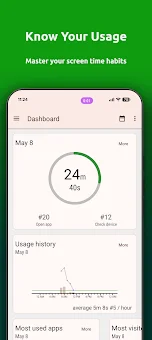
App Usage is a comprehensive Android application designed to help you monitor and manage your digital habits with precision. This powerful tool provides detailed insights into your device usage, allowing you to track how much time you spend on specific applications throughout the day. By gathering accurate usage history, you can identify which apps consume the most of your attention and make informed decisions about your screen time.
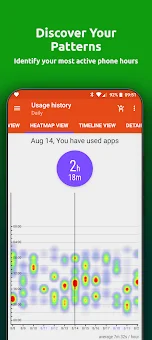
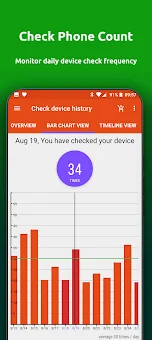
The app offers a clear view of your daily activity, helping you reduce distractions and improve productivity by understanding your phone usage patterns. The application features a robust history tracker that records not only app usage but also how often you check your phone. You can view this data in intuitive bar charts or calendar views, giving you a visual representation of your habits over time.
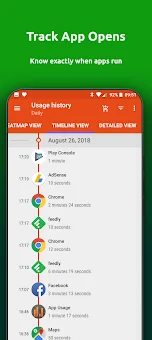
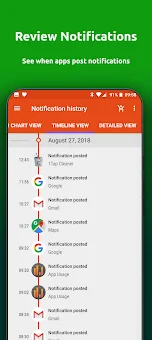
Additionally, the activity history feature logs the exact times you open messaging or email apps, providing a timeline of your daily interactions. This level of detail helps you pinpoint exactly when you are most active on your device and which applications are driving your engagement. Stay informed about your notifications and battery consumption with dedicated history sections.
The notification history displays the number of alerts received each day and the specific times apps posted them, while the battery history graph shows your power usage trends.
How to install the app
- Check the version, Android compatibility, developer and source in the app details block.
- Open the Downloads tab and use the official source or an available catalog link.
- Before installing, review app permissions and use only sources you trust.
Frequently asked questions
How does App Usage track my phone activity?
The app records the time you open specific applications and how frequently you check your phone, displaying this data in daily charts or calendar views for easy analysis of your digital habits.
Can I lock my app settings with a PIN code?
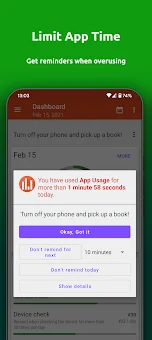
Yes, you can secure your app settings and over-use reminder options by setting a PIN code, ensuring that your usage data and preferences remain private and protected from unauthorized changes.
Does the app track battery usage history?
Yes, the application displays a detailed battery usage graph, allowing you to monitor how much power your apps consume over time and identify which applications are draining your battery the fastest.
How can I manage installed and uninstalled apps?
You can track all installs and uninstalls, sort apps by name or size, and quickly uninstall them with a single tap. The app also keeps a history of uninstalled apps so you can reinstall them later if needed.
Similar apps





No comments yet. Be the first!