
CalendarDC: reminder, widgets
DownloadApp details
- Version
- 4.1.06
- Updated
- 05.10.2026
- Category
- Miscellaneous
- Compatibility
- Android 7.0+
- Package name
com.venus.calendardc- Developer
- HA.KK Studio
- Source
- Official Google Play page
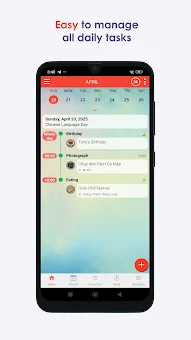
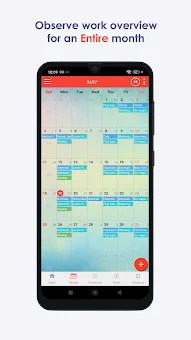
CalendarDC is a powerful and feature-rich calendar application designed to help you manage your work time, tasks, and reminders efficiently. The main advantage of this app is the complete absence of ads, which ensures a clean and comfortable interface without distracting elements. This allows you to focus entirely on your schedule and productivity without interruptions.
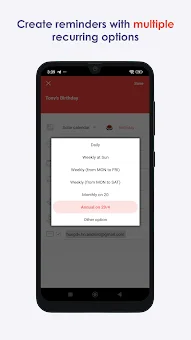
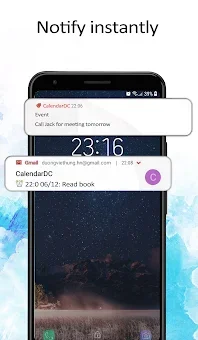
The application supports many types of recurring events, allowing you to configure cycles for days, dates, months, or years. It also takes into account both the solar and Chinese calendars, making it a versatile tool for users who need to track diverse scheduling systems. You can create tasks and reminders directly from the view, which significantly saves time and simplifies daily routine processes.
The program offers a wide range of useful features for full control over your schedule. You can easily create events with a single tap, and the system automatically distributes the creation time of new notes and tasks. Events synchronize with Google Calendar, as well as with the CalendarDC server and desktop version, ensuring information availability from any device.
This seamless integration means your schedule is always up to date, whether you are on your phone, tablet, or computer. The application supports several display modes: monthly, weekly, and list, allowing you to choose the most convenient option for viewing your agenda.
How to install the app
- Check the version, Android compatibility, developer and source in the app details block.
- Open the Downloads tab and use the official source or an available catalog link.
- Before installing, review app permissions and use only sources you trust.
Frequently asked questions
Does CalendarDC have ads?
Yes, the main advantage of the CalendarDC application is the complete absence of ads, ensuring a clean and comfortable interface without distracting elements.
Can I sync CalendarDC with Google Calendar?
Yes, events in CalendarDC synchronize with Google Calendar, as well as with the CalendarDC server and desktop version, ensuring information availability from any device.
What types of events does CalendarDC support?
The application supports many types of recurring events, allowing you to configure cycles for days, dates, months, or years, including solar and Chinese calendars.
Does CalendarDC have widgets?
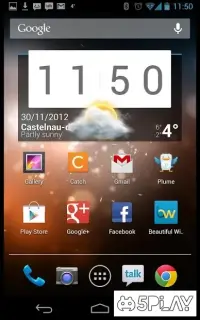
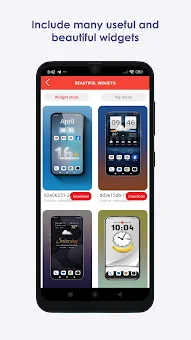
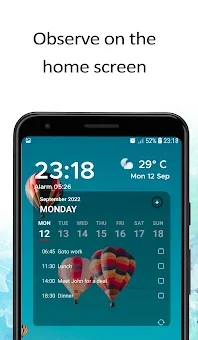
Yes, the application includes attractive widgets with events for the current day, including a collection of unique transparent widgets and a wallpaper for quick access.

No comments yet. Be the first!