
Clone Phone - OnePlus app
DownloadApp details
- Version
- 16.10.0
- Updated
- 12.10.2026
- Category
- Tools
- Compatibility
- Android 6.0+
- Package name
com.oneplus.backuprestore- Source
- Official Google Play page
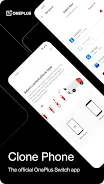
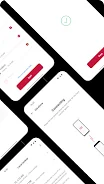
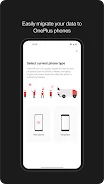
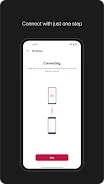
Clone Phone is a powerful application formerly known as OnePlus Switch, designed to facilitate the seamless transfer of your important data from your old phone to a new OnePlus device. This tool allows you to migrate contacts, messages, photos, and more in a matter of minutes without the hassle of network connections, making it perfect for Android users transitioning to OnePlus. For iOS users, a network connection may be required to complete the transfer process.
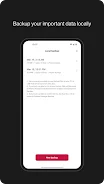
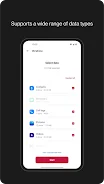
One of the standout features of Clone Phone is its ability to transfer a wide range of data types including contacts, SMS, call history, calendars, photos, videos, audio files, and even applications along with some of their data. This ensures that you retain all your essential information during the switch. Additionally, the app includes a backup feature that allows you to securely store your data for future restoration if needed, covering contacts, SMS, call history, notes, desktop layouts, and applications (without data).
This application is an invaluable asset for all OnePlus users looking to effortlessly migrate their data to a new device or ensure their important information is backed up securely. Whether you are changing phones or simply want to safeguard your data, Clone Phone acts as a reliable assistant in managing your data transitions. Keep in mind that the types of supported data may vary depending on the system and version of Android you are using, so it’s advisable to verify that everything functions correctly after the transfer or restoration.
If you encounter any issues with the app, please leave your feedback or report any bugs on the OnePlus community forums, helping improve the experience for everyone.
How to install the app
- Check the version, Android compatibility, developer and source in the app details block.
- Open the Downloads tab and use the official source or an available catalog link.
- Before installing, review app permissions and use only sources you trust.
Frequently asked questions
What data can I transfer using Clone Phone?
You can transfer contacts, SMS, call history, calendars, photos, videos, audio files, and applications.
Do I need a network connection for data migration?
No, a network connection is not required for Android to OnePlus transfers; iOS transfers may need one.
Can I back up my data with Clone Phone?
Yes, Clone Phone allows you to back up contacts, SMS, call history, notes, desktop layouts, and apps.
What should I do if I encounter issues?
Leave feedback or report bugs on the OnePlus community forums for assistance.







No comments yet. Be the first!