
EasyViewer-epub,Comic,Text,PDF
DownloadApp details
- Version
- 26.07.12
- Updated
- 03.10.2026
- Category
- Reading and news
- Compatibility
- Android 6.0+
- Package name
com.ezne.easyview.free- Source
- Official Google Play page
EasyViewer is a versatile application designed for reading eBooks, comics, text documents, and PDF files. It offers two versions: an ad-supported version with full features and a premium version with some limitations. This user-friendly tool is perfect for anyone who values a comfortable and multifunctional reading experience across various devices.
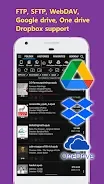
One of the standout features of EasyViewer is its file synchronization capability, allowing users to read files from the same position on different devices. It supports integration with cloud storage services like Google Drive, Dropbox, and OneDrive, making it easy to access your documents anywhere. Additionally, EasyViewer supports OPDS, enabling connections to numerous online libraries worldwide, expanding your reading options significantly.
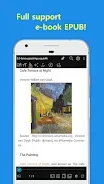
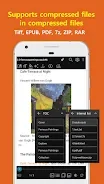
The app also allows for the conversion of EPUB to text and PDFs to images, helping to reduce file sizes through archiving. With automatic image detection, images are seamlessly displayed in an easy-to-read format, enhancing your overall experience. EasyViewer supports a wide range of eBook formats, including EPUB, MOBI, FB2, CBZ, and CBR, as well as various image formats, including animated GIFs.
This makes it an essential tool for students, writers, comic creators, and anyone who enjoys reading eBooks or viewing documents. Ultimately, EasyViewer is a powerful and convenient solution for viewing diverse document formats, ensuring your reading is both comfortable and enjoyable.
How to install the app
- Check the version, Android compatibility, developer and source in the app details block.
- Open the Downloads tab and use the official source or an available catalog link.
- Before installing, review app permissions and use only sources you trust.
Frequently asked questions
What formats does EasyViewer support?
EasyViewer supports EPUB, MOBI, FB2, CBZ, CBR, and various image formats.
Can I sync my reading position across devices?
Yes, EasyViewer allows file synchronization so you can read from the same position on different devices.
Is there an ad-free version available?
Yes, EasyViewer offers a premium version without ads, though it has some limitations.
Does EasyViewer connect to cloud services?
Yes, it integrates with Google Drive, Dropbox, and OneDrive for easy file access.

No comments yet. Be the first!