
PDF Editor - PDF Reader
Open in Google PlaySpaceAPK does not provide APK files. A listed Google Play link is a reference: check the store for availability, version, price and paid features. The catalog version is not offered as a downloadable file.
App details
- Recorded version
- 1.0.1
- Updated
- 13.07.2026
- Category
- Tools
- Compatibility
- Android
- Package name
com.pdftools.editor.leosw- Source
- Google Play reference
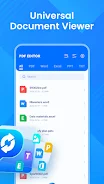
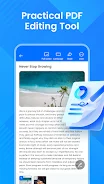
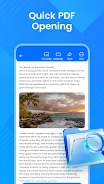
PDF Editor - PDF Reader is a versatile application designed for seamless document management, allowing you to easily open, view, convert, and organize PDF files along with other office documents. This app is perfect for both academic and daily tasks, providing a comprehensive set of features to simplify your workflow. With a quick launch and user-friendly interface, you can effortlessly browse documents in various formats, including PDF, Word, Excel, and PPT.
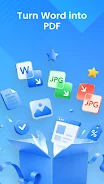
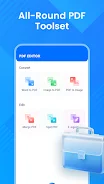
One of the standout features is the file conversion capability, enabling you to convert documents and images into PDFs, as well as save photos in PDF format. The built-in document scanning feature lets you transform physical documents into PDF files using your camera, making it a handy tool for students and professionals alike. Additionally, the app offers PDF management tools such as merging multiple PDFs into a single file, splitting documents into several parts, and organizing files using bookmarks.
This all-in-one solution enhances productivity for anyone frequently working with documents, making PDF Editor - PDF Reader an essential tool for improving your document handling efficiency. Experience a convenient and effective way to manage your PDF files and elevate your work with this powerful application.
Availability and source
- Check the version, Android compatibility, developer and source in the app details block.
- Open the official app page on Google Play if a link is available.
- Before installing, review app permissions and use only sources you trust.
Frequently asked questions
What features does PDF Editor - PDF Reader offer?
It offers document viewing, conversion, scanning, and PDF management tools.
Can I convert images to PDF using this app?
Yes, you can easily convert images and documents into PDF format.
Is the app suitable for students and office workers?
Absolutely, it's designed for anyone who frequently works with documents.
How does the document scanning feature work?
You can use your camera to scan physical documents and save them as PDFs.
No comments yet. Be the first!