
Fast PDF Reader
DownloadApp details
- Version
- 1.0.1
- Updated
- 01.11.2026
- Category
- Tools
- Compatibility
- Android
- Package name
com.fast.readerpdf.tootger- Developer
- STARSPEED LIMITED
- Source
- Official Google Play page
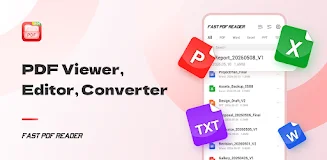
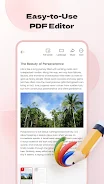
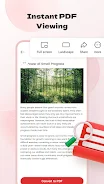
Fast PDF Reader is a robust and versatile Android application designed to streamline your document management experience. It serves as an all-in-one solution for viewing, editing, and converting various file formats directly on your mobile device. The app features an intuitive interface that ensures smooth navigation, making it easy for students, office workers, and professionals to access important documents quickly.
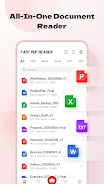
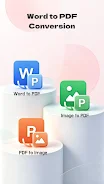
Whether you need to review a contract or study a textbook, this tool provides a seamless reading experience optimized for mobile screens. One of the standout features of Fast PDF Reader is its extensive format support. Users can effortlessly open and view not only PDF files but also popular office documents such as Word, Excel, and PowerPoint files.
This multi-format capability eliminates the need to install multiple separate applications, saving storage space and simplifying your workflow. The app handles large files with stability, ensuring that scrolling and zooming remain fluid even when dealing with complex documents or high-resolution images. The application also excels in file conversion and creation.
You can easily transform photos, JPGs, and PNGs into professional PDF documents using the built-in camera scanning feature. This function allows you to digitize paper documents instantly by taking a picture, converting them into high-quality PDFs right from your phone.
How to install the app
- Check the version, Android compatibility, developer and source in the app details block.
- Open the Downloads tab and use the official source or an available catalog link.
- Before installing, review app permissions and use only sources you trust.
Frequently asked questions
What file formats does Fast PDF Reader support?
Fast PDF Reader supports a wide range of formats including PDF, Word, Excel, PowerPoint, JPG, and PNG files for viewing and conversion.
Can I convert photos to PDF using this app?
Yes, the app includes a camera scanning feature that allows you to take photos of documents and convert them directly into high-quality PDF files.
Is it possible to merge or split PDF files?
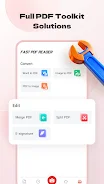
Yes, you can easily merge multiple PDF documents into one file or split large PDFs into smaller, more manageable sections for easier sharing and viewing.
Does the app work well with large files?
Yes, the application is optimized for stability and smooth scrolling, ensuring a fluid experience even when opening and viewing large document files.
No comments yet. Be the first!