
Google Docs
DownloadApp details
- Updated
- 24.10.2026
- Category
- Tools
- Compatibility
- ANDROID
- Package name
com.google.android.apps.docs.editors.docs- Developer
- Google LLC
- Source
- Official Google Play page
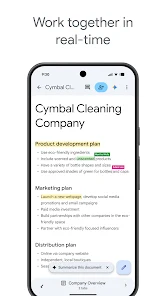
Google Docs provides a powerful and convenient tool for creating, editing, and collaborating on documents directly from your Android smartphone or tablet. This versatile application allows you to manage text files efficiently, ensuring a high level of productivity for both individual users and large teams. The primary advantage of the app is its real-time collaboration feature, which enables seamless teamwork.
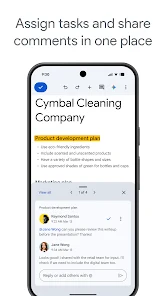
You can easily share documents with your colleagues, edit them simultaneously, leave comments, and assign tasks to specific team members. Every participant sees changes instantly, which significantly speeds up the content approval process and keeps everyone on the same page. The application supports creating documents anywhere and at any time, making it ideal for professionals on the go.
Thanks to the offline mode, you can capture spontaneous ideas and work on projects even without an internet connection. Your data will automatically synchronize once you reconnect, ensuring that no work is lost. This flexibility is crucial for maintaining workflow continuity in various environments, from busy offices to remote locations with unstable connectivity.
You can start a draft on your phone and continue editing on a desktop without missing a beat. To save time and effort, Google Docs includes handy templates that help you quickly format documents and give them a professional appearance.
How to install the app
- Check the version, Android compatibility, developer and source in the app details block.
- Open the Downloads tab and use the official source or an available catalog link.
- Before installing, review app permissions and use only sources you trust.
Frequently asked questions
Can I use Google Docs offline on my Android device?
Yes, you can enable offline mode in settings to create and edit documents without an internet connection, and they will sync automatically when you reconnect.
Does Google Docs support Microsoft Word files?
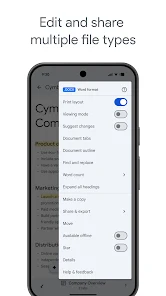
Absolutely, you can open, edit, and save Microsoft Word documents directly within the app, with seamless conversion and formatting preservation.
What is Gemini AI and how does it help in Google Docs?
Gemini is an AI tool available to Google Workspace subscribers that helps you write, edit, plan, and generate content like blog posts or briefs quickly.
Is Google Docs free to use on Android?
Yes, the core features of Google Docs are free to use on Android devices. Advanced AI features and extra storage are available with a paid Google Workspace subscription.
Similar apps




No comments yet. Be the first!