

AI Cleaner: Storage Cleanup
DownloadApp details
- Version
- 1.1.0
- Updated
- 08.10.2026
- Category
- Tools
- Compatibility
- Android
- Package name
com.ai.cleaner.storagecleanup.cleanup- Developer
- IPTV Online Player: Online TV
- Source
- Official Google Play page
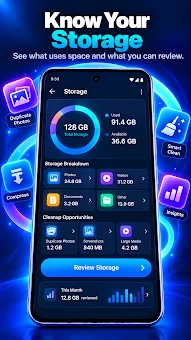
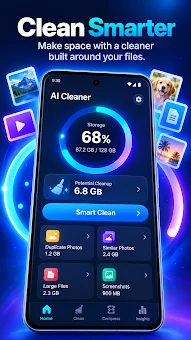
AI Cleaner is a smart addition for cleaning your device's storage, helping you free up space and organize your media files efficiently. This application allows you to understand which data takes up the most memory, identify duplicates, and find similar images. It also detects large files and compresses media to save valuable storage space.
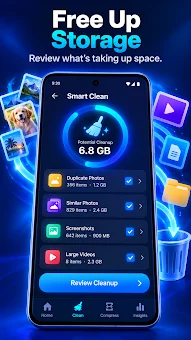
You remain in full control, as the app only suggests cleaning options, and you decide what to keep or delete. The core features include smart storage cleaning that shows photo duplicates, similar frames, screenshots, large videos, and other files. You can review selected elements before deleting them.
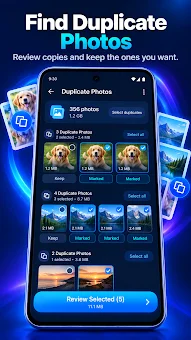
A special duplicate search module groups identical photos for easy comparison. Find similar shots taken at the same time and choose the best variant based on sharpness and image quality. A module for viewing various photos helps find low-quality frames without automatic deletion.
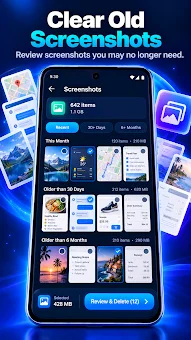
Collecting screenshots? A convenient module allows you to sort them by age and delete unnecessary ones. The large files module finds the biggest videos, photos, downloads, and documents, allowing you to sort them by size or date.
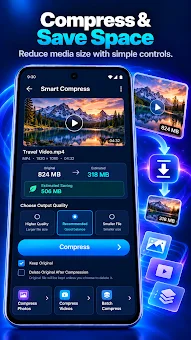
If you want to save space without deleting files, the photo and video compression function shows the estimated file size after compression and allows you to keep the original. Swipe Clean mode offers media review one by one for quick selection.
How to install the app
- Check the version, Android compatibility, developer and source in the app details block.
- Open the Downloads tab and use the official source or an available catalog link.
- Before installing, review app permissions and use only sources you trust.
Frequently asked questions
Does AI Cleaner delete files automatically?
No, the app only suggests cleaning options and you decide what to keep or delete, giving you full control over your data.
Is the analysis done on the device or in the cloud?
The analysis happens locally on your device, ensuring your data privacy while you manage file deletion yourself.
Can I compress photos without deleting them?
Yes, the compression function shows the estimated file size after processing and allows you to keep the original file if needed.
How does the duplicate finder work?
It groups identical photos for easy comparison, helping you find similar shots taken at the same time and choose the best variant.








No comments yet. Be the first!