
All Document Reader & Editor
DownloadApp details
- Version
- 1.0.5
- Updated
- 15.10.2026
- Category
- Tools
- Compatibility
- Android
- Package name
com.officetool.alldocument.reader.editor- Source
- Official Google Play page
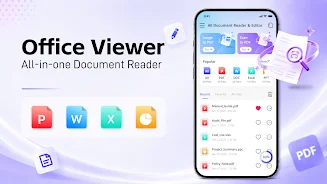
All Document Reader & Editor is a versatile document viewer and file manager that enables you to easily open, read, edit, and organize all file formats. This powerful app supports PDF, Word, Excel, PPT, and many more formats in one convenient platform. Its user-friendly interface ensures a simple, fast, and lightweight experience, allowing you to manage all your documents in one place.
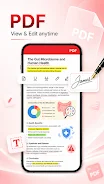
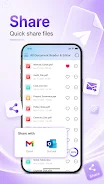
You can instantly open files, quickly search for them, and enjoy comfortable reading and editing anytime, anywhere. One of the standout features is the PDF editor, which allows for smooth reading, easy page zooming, and quick navigation to any page. You can also convert images to PDF, print, and share PDF files, with offline reading capabilities.
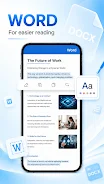
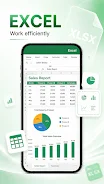
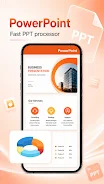
The Word viewer provides instant access to DOC and DOCX files, along with smart file organization options, sorting documents by name, size, and date for a clean and efficient interface. The Excel viewer allows for rapid opening of XLS and XLSX files, displaying tables, charts, and data clearly, making it ideal for reports and office work. Additionally, the PPT viewer offers seamless viewing of PPT and PPTX files with HD quality performance.
Whether you're a student, office worker, or anyone needing an efficient way to handle various file formats, All Document Reader & Editor simplifies document reading and editing like never before.
How to install the app
- Check the version, Android compatibility, developer and source in the app details block.
- Open the Downloads tab and use the official source or an available catalog link.
- Before installing, review app permissions and use only sources you trust.
Frequently asked questions
What file formats does All Document Reader & Editor support?
It supports PDF, Word, Excel, PPT, and many other formats.
Is the app easy to use?
Yes, it features a user-friendly interface for easy navigation.
Can I edit documents with this app?
Yes, you can easily edit and manage your documents within the app.
Does it work offline?
Yes, you can read PDF files offline.
No comments yet. Be the first!