

AZ Screen Recorder - No Root
DownloadApp details
- Version
- 5.7.5
- Updated
- 16.10.2026
- Category
- Arcade
- Compatibility
- Android 5.0
- Package name
com.hecorat.screenrecorder.free- Source
- Official Google Play page
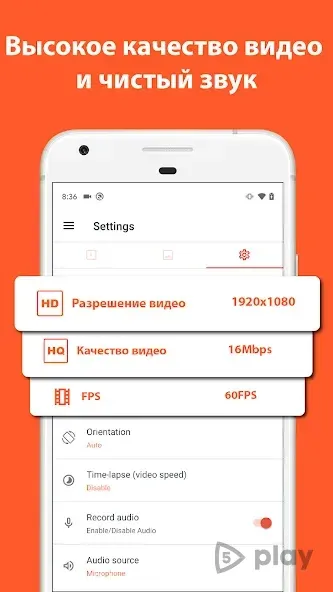
AZ Screen Recorder - No Root is a powerful and versatile utility designed for the Android operating system, allowing users to capture high-quality video recordings directly from their device screen. This application stands out by offering seamless recording capabilities without the need for root access, making it accessible to a wide range of Android users. The app supports recording in both HD and Full HD formats, ensuring that the visual quality of your videos remains exceptional and crisp.
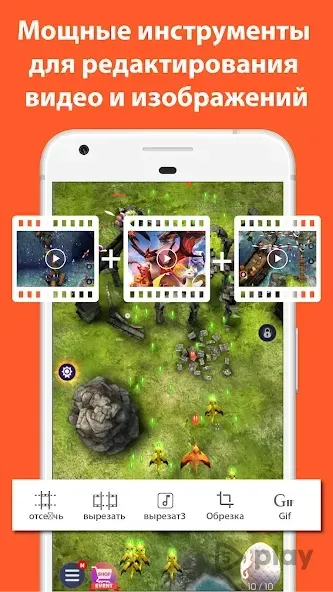
Whether you are documenting a game session, recording a tutorial, or capturing a live event, this tool provides the clarity needed to produce professional-looking content. One of the key features of this utility is its comprehensive set of editing tools, similar to those found in dedicated video editors. Users can easily set the recording duration, pause and resume recordings, and review previously captured videos within the app.
The interface allows for intuitive management of your media library, including the ability to move unwanted clips to the trash. Additionally, the app enables you to record the activity of any application without limitations, providing the flexibility to capture gameplay, app demonstrations, or screen interactions with ease. The editing capabilities allow for basic adjustments directly within the program, streamlining your workflow from capture to final output.
The application offers advanced customization options for both video and audio settings.
How to install the app
- Check the version, Android compatibility, developer and source in the app details block.
- Open the Downloads tab and use the official source or an available catalog link.
- Before installing, review app permissions and use only sources you trust.
Frequently asked questions
Does AZ Screen Recorder require root access to function properly?
No, AZ Screen Recorder - No Root is designed to work on standard Android devices without the need for root permissions, making it accessible to all users.
What video formats and resolutions are supported by this app?
The application supports recording in HD and Full HD formats, ensuring high-quality video output with clear visuals and smooth playback for various devices.
Can I record audio from an external microphone with this tool?
Yes, the app allows you to connect an external microphone and adjust audio bitrates, providing flexibility for capturing high-quality sound during recordings.
Is there a feature to show touch inputs on the screen during recording?
Yes, the app includes a special feature that highlights touch inputs on the screen, which is particularly useful for gaming reviews and application tutorials.










No comments yet. Be the first!