

Clean Ninja: Storage Cleaner
DownloadApp details
- Version
- 1.0.9
- Updated
- 08.10.2026
- Category
- Tools
- Compatibility
- Android
- Package name
com.orvanta.android.cleanninja- Developer
- Orvanta Digital Limited
- Source
- Official Google Play page
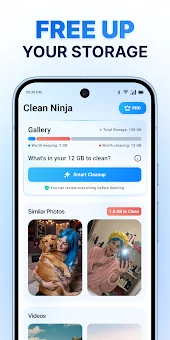
Do you find your smartphone storage filling up too quickly? Clean Ninja: Storage Cleaner is a smart and effective tool designed to help you free up space on your device. It assists users in quickly finding and reviewing unnecessary files, allowing you to reclaim valuable storage capacity efficiently.
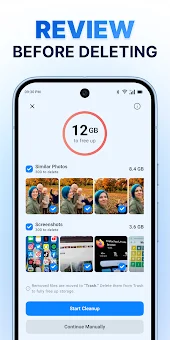
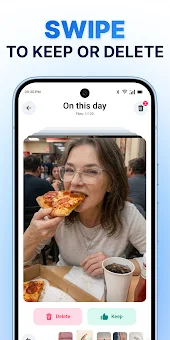
This application offers a convenient approach to managing your gallery, giving you full control over what stays and what goes. Every file is removed only with your direct confirmation, ensuring the safety of your important memories and data. The core features of Clean Ninja are developed for maximum user convenience.
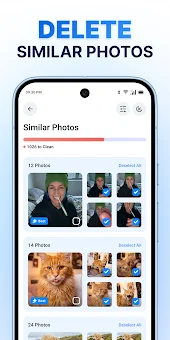
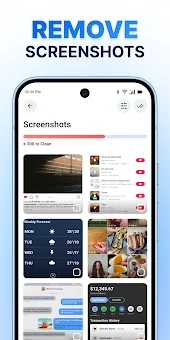
Upon starting the scan, the program automatically sorts your gallery into three convenient categories: photos, screenshots, and large video files. All of them are gathered in one place for quick review. The duplicate photo search function allows you to group images from the same moment or angle, enabling you to compare them side by side and choose the best variant for your collection.
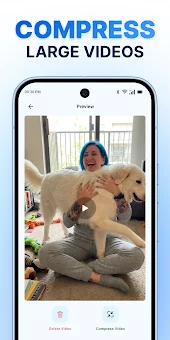
For screenshots, a mass deletion feature lets you remove unnecessary screen captures with a single tap. Video files often take up the most space. Clean Ninja sorts them by file size, allowing you to preview the largest recordings first.
You can delete them or compress them, reducing their size without significant quality loss, although the result depends on the original settings and source video. The interface is designed for easy navigation.
How to install the app
- Check the version, Android compatibility, developer and source in the app details block.
- Open the Downloads tab and use the official source or an available catalog link.
- Before installing, review app permissions and use only sources you trust.
Frequently asked questions
How does Clean Ninja sort my gallery files?
The app automatically categorizes your media into three groups: photos, screenshots, and large video files, making it easier to review and manage your storage.
Can I delete duplicate photos with this app?
Yes, the duplicate photo search feature groups similar images so you can compare them and choose the best version to keep in your gallery.
Does deleting files remove my original memories?
No, every file is removed only with your direct confirmation, ensuring that your important memories and data remain safe and secure during the process.
Can I compress videos to save space?
Yes, you can compress large video files to reduce their size without significant quality loss, helping you save storage space on your Android device.








No comments yet. Be the first!