

Cleanup: Phone Storage Cleaner
Open in Google PlayApp details
- Version
- 1.4.5
- Updated
- 19.09.2026
- Category
- Tools
- Compatibility
- Android 11+
- Package name
com.storage.androidcleaner- Source
- Official Google Play page
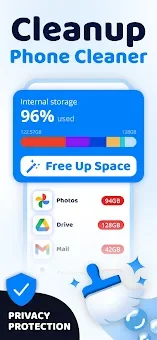
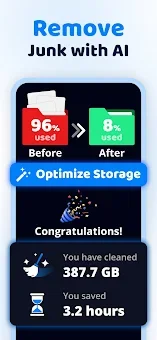
Have you ever experienced the frustration of your phone storage filling up unexpectedly, leaving you unable to save new photos or videos? Cleanup: Phone Storage Cleaner is designed specifically to help you easily and quickly free up space on your device. With an intuitive interface and powerful algorithms, you can reclaim gigabytes of free space in just a few seconds without losing important data.
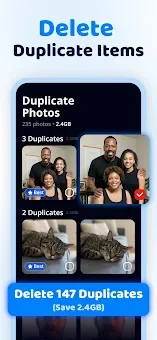
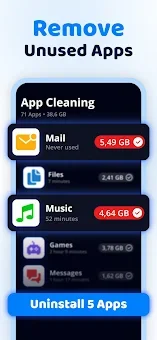
The main feature of the app is its ability to analyze storage and identify unnecessary clutter that gradually accumulates during everyday phone usage. Cleanup offers smart tools for gallery cleaning and video compression. Thanks to artificial intelligence technologies, the app automatically detects duplicates and similar photos, selecting the best frames for preservation.
You can safely delete extra screenshots and similar videos, leaving only the content you truly enjoy in your gallery. Special attention is given to video file processing. If large videos take up too much space, the built-in compressor reduces their size while maintaining high image and sound quality.
This allows you to save a significant amount of memory without losing the quality of your favorite moments. File management is very simple: you just need to perform a swipe gesture to keep a needed file or delete an unnecessary one.
How to install the app
- Check the version, Android compatibility, developer and source in the app details block.
- Open the official app page on Google Play if a link is available.
- Before installing, review app permissions and use only sources you trust.
Frequently asked questions
Does Cleanup: Phone Storage Cleaner delete important files?
The app uses safe algorithms to analyze storage, ensuring that your important photos and media files are preserved while removing unnecessary clutter and duplicates.
How does the video compression feature work?
The built-in compressor reduces the file size of large videos while maintaining high image and sound quality, allowing you to save significant memory without losing quality.
Is the app easy to use for beginners?
Yes, the app features an intuitive interface and simple swipe gestures for file management, making it suitable for both beginners and experienced users who want quick optimization.










No comments yet. Be the first!