
Copy My Data: Phone Transfer
DownloadApp details
- Version
- 4.5.8
- Updated
- 14.09.2026
- Category
- Tools
- Compatibility
- Android 7.0+
- Package name
com.app.smartswitchmobile.transfermydata- Source
- Official Google Play page
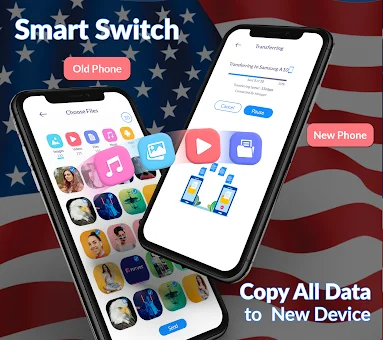
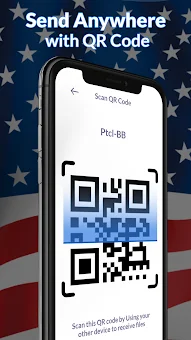
Upgrading to a new Android smartphone is exciting, but the prospect of migrating all your personal files can be daunting. Copy My Data: Phone Transfer simplifies this process by offering a robust solution for seamless data migration between devices. Whether you are switching from an older model to the latest flagship or simply moving files between two phones, this app ensures that your valuable memories and essential documents arrive intact.
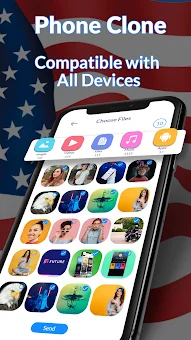
It eliminates the need for cumbersome cables or relying on slow email attachments, providing a direct and efficient pathway for your content. The core strength of this application lies in its ability to transfer a wide variety of file types without requiring a computer. You can easily move contacts, text messages, photos, videos, audio files, and document archives.
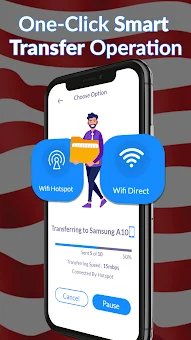
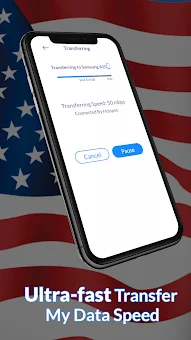
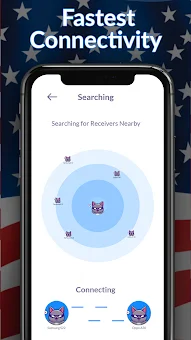
The smart transfer process connects both devices via Wi-Fi, creating a high-speed local network that accelerates the movement of large files. This means you can transfer gigabytes of data in a fraction of the time it would take using traditional methods, keeping your downtime to an absolute minimum during your device switch. Security and user control are prioritized throughout the transfer journey.
The app features a fully secure protocol that protects your data during transit, ensuring that sensitive information remains private.
How to install the app
- Check the version, Android compatibility, developer and source in the app details block.
- Open the Downloads tab and use the official source or an available catalog link.
- Before installing, review app permissions and use only sources you trust.
Frequently asked questions
Does Copy My Data: Phone Transfer require a computer to work?
No, the application allows you to transfer data directly between two Android devices without the need for a computer, using a Wi-Fi connection for speed.
What types of files can be transferred using this app?
You can transfer a wide range of content including contacts, messages, photos, videos, audio files, documents, and even clone your entire phone with apps and settings.
Is the data transfer process secure and private?
Yes, the app uses a fully secure smart transfer process to ensure your data remains safe during transit, and you can pause or resume transfers at any time.
Can I transfer large files quickly without losing quality?
The app is designed for fast file sharing and handles large amounts of data efficiently, ensuring that your photos and videos are transferred without quality loss.
Similar apps



No comments yet. Be the first!