
DWG FastView-CAD Viewer&Editor
DownloadApp details
- Updated
- 27.10.2026
- Category
- Tools
- Compatibility
- ANDROID
- Package name
com.gstarmc.android- Developer
- Gstarsoft Co., Ltd.
- Source
- Official Google Play page
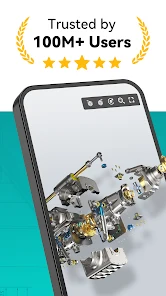
DWG FastView is a leading mobile application designed for viewing and editing CAD drawings, trusted by over 100 million users worldwide. This powerful tool allows you to work with 2D and 3D models anytime and anywhere, making it an essential asset for engineers, designers, and architects who need reliable software for both office and field work. The app ensures high accuracy in drawing reproduction and supports all AutoCAD versions without file size limits, providing a seamless experience for professional drafting needs.
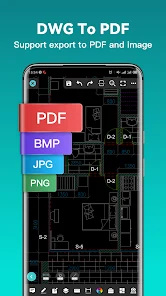
The application offers extensive support for various file formats including DWG, DXF, RVT, SLDPT, STEP, and IGES. In 3D mode, users can utilize features such as scaling, rotation, sectioning, exploded views, distance and angle measurements, and PMI display. The 2D editing tools are equally robust, offering copying, rotation, scaling, color changes, object measurement, layer management, and advanced editing functions like trimming, offsetting, and dimensioning.
This versatility ensures that complex design tasks can be handled efficiently on mobile devices. Precision is key in CAD work, and DWG FastView delivers with support for absolute, relative, and polar coordinate input. Users can easily switch between 2D and 3D viewing modes, utilizing different perspectives and display modes such as wireframe, realistic, and hidden line rendering.
The app does not require registration to start working, allowing immediate download and editing of files.
How to install the app
- Check the version, Android compatibility, developer and source in the app details block.
- Open the Downloads tab and use the official source or an available catalog link.
- Before installing, review app permissions and use only sources you trust.
Frequently asked questions
Does DWG FastView require an internet connection to work?
No, DWG FastView works offline, allowing you to view and edit drawings stored locally on your device without needing an active internet connection.
What file formats are supported by this application?
The app supports major CAD formats including DWG, DXF, RVT, SLDPT, STEP, and IGES, ensuring compatibility with most professional design files.
Can I edit 3D models on my Android device?
Yes, the application includes robust 3D editing features such as scaling, rotation, sectioning, exploded views, and measurement tools for precise model adjustments.
Is registration required to start using the app?
Registration is not required to start working. You can download and edit files immediately, making it easy to access your projects without delay.
Similar apps


No comments yet. Be the first!