
Easy PDF Reader - PDF Tools
DownloadApp details
- Version
- 1.0.0
- Updated
- 06.10.2026
- Category
- Tools
- Compatibility
- Android
- Package name
com.eastg.redertht- Developer
- londresdevelopers
- Source
- Official Google Play page
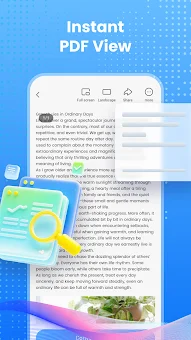
Easy PDF Reader - PDF Tools is a robust and feature-rich Android application designed to simplify the way you interact with digital documents. This versatile app serves as an all-in-one solution for reading, viewing, and organizing PDF files and supported office documents. With its intuitive interface and powerful tools, it becomes an indispensable assistant for daily use, allowing you to work seamlessly with digital files without needing to install multiple different programs.
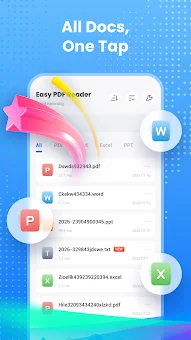
The application consolidates essential functions into a single, easy-to-navigate platform, ensuring that you can manage your documents efficiently whether you are at work, in class, or on the go. One of the standout features of this app is its ability to open and view various file formats in one place. You can effortlessly access PDF, Word, Excel, and PowerPoint documents without switching between different applications.
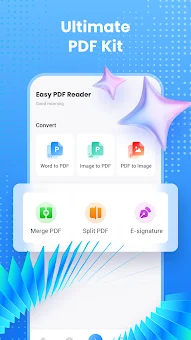
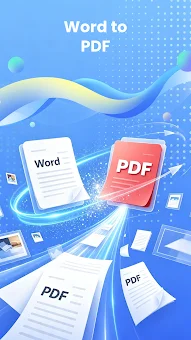
Additionally, the app allows you to create PDF documents from image formats like JPG or PNG. You can even scan documents directly using your device's camera, making it incredibly convenient for digitizing physical papers and notes on the fly. The built-in conversion tools enable you to transform supported documents and images into the PDF format with just a few taps, preserving the quality and layout of your original files.
For users who deal with large volumes of information, the app offers advanced file management capabilities.
How to install the app
- Check the version, Android compatibility, developer and source in the app details block.
- Open the Downloads tab and use the official source or an available catalog link.
- Before installing, review app permissions and use only sources you trust.
Frequently asked questions
What file formats does Easy PDF Reader support?
The application supports a wide range of formats including PDF, Word, Excel, PowerPoint, JPG, and PNG, allowing you to view and convert them easily.
Can I merge or split PDF files with this app?
Yes, you can merge multiple PDF files into one document or split a large file into several smaller parts for easier sharing and management on your device.
Does the app support text-to-speech functionality?
Absolutely, the app includes a text-to-speech feature that allows you to listen to document content, which can play in the background or with the screen locked.
Is it possible to scan documents directly to PDF?
Yes, you can scan physical documents directly using your Android device's camera and save them immediately as PDF files for quick digital archiving.
No comments yet. Be the first!