

Facelign
Open in Google PlayApp details
- Version
- 1.0.0
- Updated
- 17.09.2026
- Category
- Photo editors
- Compatibility
- Android 14+
- Package name
com.facelign.android- Source
- Official Google Play page
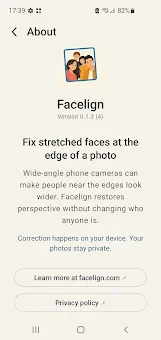
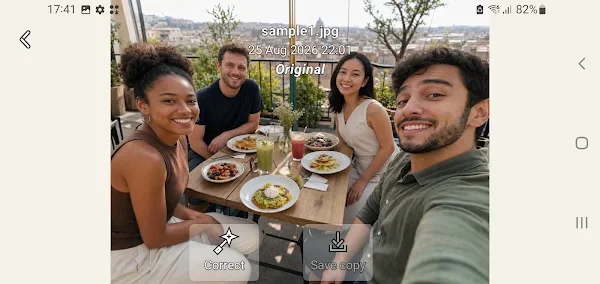
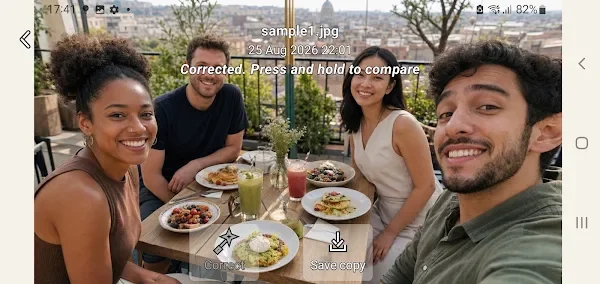
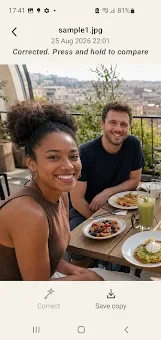
Facelign is a specialized Android application designed to correct geometric distortions caused by wide-angle smartphone cameras. If your group photos often show people on the edges looking too large or stretched, this tool restores a natural look by fixing optical warping. It is not a beauty filter or an AI face generator that smooths skin or alters features to fit a standard.
Instead, it reverses the physical stretching effect created by the lens, allowing subjects to appear as they truly do in reality. The app prioritizes privacy and quality by working completely offline. All calculations happen directly on your device, so your photos are never uploaded to external servers.
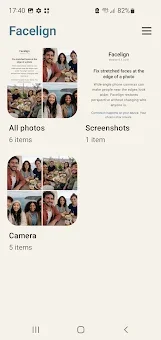
There is no registration required, no mandatory account login, and no intrusive ads. Your original files remain untouched and unmodified. The corrected image is saved as a new copy with the suffix -facelign.jpg, ensuring you always have the pristine original available.
Facelign preserves important metadata, including the date taken, camera and lens information, geolocation, focal length, and color profile, as much as the device allows. Results are saved as high-quality JPEGs at the original resolution. It also supports Display P3 color profiles and Ultra HDR enhancements on Android 14+ devices.
How to install the app
- Check the version, Android compatibility, developer and source in the app details block.
- Open the official app page on Google Play if a link is available.
- Before installing, review app permissions and use only sources you trust.
Frequently asked questions
How does Facelign correct lens distortion?
Facelign analyzes the position of faces within the frame and applies geometric transformations to reverse the optical stretching caused by wide-angle lenses, ensuring a natural appearance.
Does Facelign require an internet connection?
No, Facelign works entirely offline. All processing is done locally on your Android device, ensuring your photos are not uploaded to any external servers for processing.
Will the original photo be modified?
No, the original photo remains completely untouched. Facelign creates a new copy of the image with the suffix -facelign.jpg, preserving your original file exactly as it was taken.
Does Facelign use AI to change facial features?
No, it is not an AI beauty filter. It does not smooth skin or alter facial features. It only corrects the geometric warping of the image to match the natural perspective of the human eye.






No comments yet. Be the first!