

Gallery - Photo, Video & Home
DownloadApp details
- Version
- 18.0
- Updated
- 28.09.2026
- Category
- Photo editors
- Compatibility
- Android 7.0+
- Package name
com.thebes.galleryapp- Developer
- Thebes Ads PTE LTD
- Source
- Official Google Play page
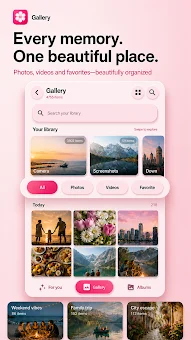
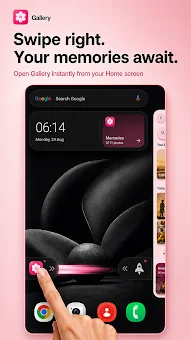
Gallery - Photo, Video & Home offers a streamlined and intuitive method for viewing, organizing, and managing your media files on Android devices. This application allows you to easily locate needed photos and videos, relive past moments, and effectively manage your library on your device. You can view media in a clean chronological stream, create albums, sort specific files, and return to favorite memories without losing context.
The app provides full access to your gallery, enabling you to browse all photos and videos saved on the device. Sort your media by chronology, albums, favorites, people, and places. The quick search feature lets you find needed files instantly.
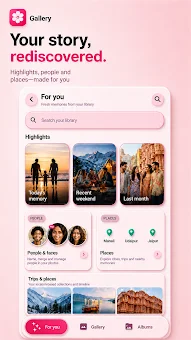
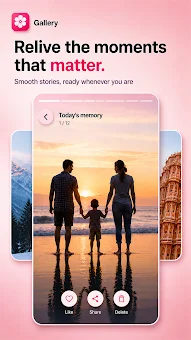
The app supports marking favorite images, sharing media, moving unwanted files to a trash bin, restoring them, or deleting them permanently. You can also follow updates to your collection in real time. The For You section helps recall pleasant moments, grouping photos into stories and memories.
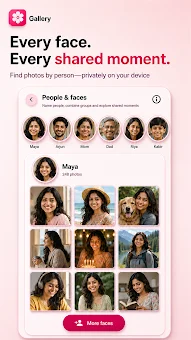
Explore events related to specific people, trips, or locations using data already present in your media. The people grouping feature analyzes faces in your photos, grouping similar images together. This analysis model can be downloaded on first use, and all data remains on your device.
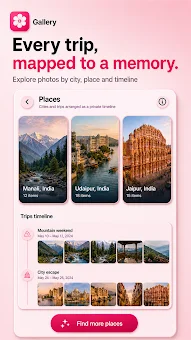
Places and trips are formed based on geolocation metadata found in supported photos, without requiring continuous location tracking.
How to install the app
- Check the version, Android compatibility, developer and source in the app details block.
- Open the Downloads tab and use the official source or an available catalog link.
- Before installing, review app permissions and use only sources you trust.
Frequently asked questions
How does the people grouping feature work?
The feature analyzes faces in your photos to group similar images together. The analysis model downloads on first use, and all data stays on your device for privacy.
Can I edit photos directly in the app?
Yes, the built-in editor allows you to rotate, mirror, apply filters, improve quality, and undo changes to your images without leaving the application.
Does the app track my location continuously?
No, places and trips are formed based on geolocation metadata found in supported photos, without requiring continuous location tracking of your device.
Similar apps





No comments yet. Be the first!