
Google Slides
DownloadApp details
- Version
- 1.26.401.05.90
- Updated
- 08.10.2026
- Category
- Tools
- Compatibility
- Android 10+
- Package name
com.google.android.apps.docs.editors.slides- Developer
- Google LLC
- Source
- Official Google Play page
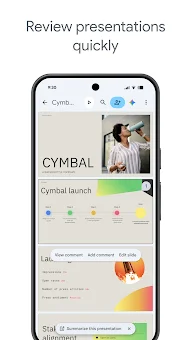
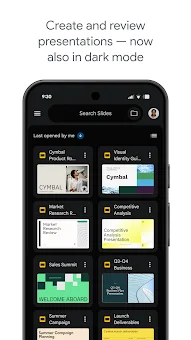
Transform the way you build and deliver professional presentations with the Google Slides app, a powerful tool designed for Android phones and tablets. This application allows you to create new decks from scratch or edit existing files with ease, ensuring your ideas are always ready to shine. Whether you are a student, educator, or business professional, the intuitive interface makes it simple to add text, images, shapes, and smooth transitions to your slides.
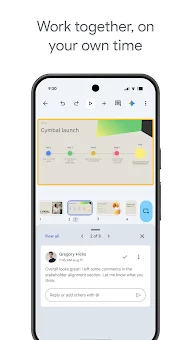
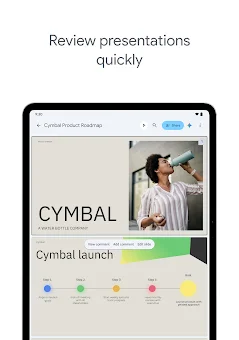
You can format content precisely and rearrange slides to tell a compelling story that engages your audience effectively. Collaboration has never been easier with this versatile Android application. You can share presentations and work on the same document simultaneously with colleagues, friends, or classmates.
Real-time updates mean everyone sees changes instantly, while you can add and respond to comments to gather feedback without leaving the app. The app integrates seamlessly with Google Workspace, allowing you to control permissions so others can view, edit, or comment on your files. This ensures secure and organized teamwork, whether you are collaborating with your immediate team or external partners.
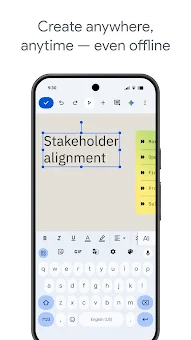
One of the standout features of Google Slides is its ability to work anywhere, anytime, even when you are offline. Your work is saved automatically as you type, so you never have to worry about losing your progress due to connectivity issues or unexpected device shutdowns.
How to install the app
- Check the version, Android compatibility, developer and source in the app details block.
- Open the Downloads tab and use the official source or an available catalog link.
- Before installing, review app permissions and use only sources you trust.
Frequently asked questions
Can I edit PowerPoint files using the Google Slides Android app?
Yes, the Google Slides app allows you to open, edit, and save PowerPoint files directly on your Android device, ensuring compatibility with standard presentation formats.
Does Google Slides work offline on Android devices?
Absolutely. You can access and edit your presentations even without an internet connection. Your changes are saved locally and sync automatically once you reconnect.
How does collaboration work in the Google Slides app?
Multiple users can edit the same presentation simultaneously in real time. You can share links, set permissions, and leave comments to streamline team workflows effectively.
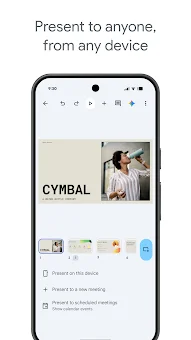
Can I present directly from my Android phone or tablet?
Yes, you can present your slides directly from your mobile device. This feature is ideal for practicing your delivery or presenting in situations where a laptop is not available.
Similar apps




No comments yet. Be the first!