
ILovePDF: PDF Editor & Scanner
DownloadApp details
- Updated
- 27.10.2026
- Category
- Tools
- Compatibility
- ANDROID
- Package name
com.ilovepdf.www- Developer
- iLovePDF
- Source
- Official Google Play page
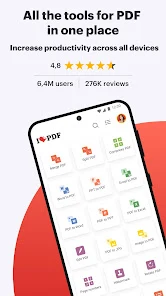
ILovePDF is a comprehensive mobile application designed for efficient document management on Android devices. It enables users to transition fully to a paperless workflow by utilizing only a smartphone or tablet. The program combines powerful tools for scanning, editing, converting, and organizing PDF files within a single, user-friendly interface.
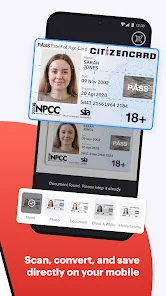
You can read, convert, annotate, and sign documents in just a few seconds, significantly boosting your productivity whether you are on the go or in the office. Key features include a functional smartphone scanner that allows you to take photos of documents and save them in PDF format, including support for multi-page files. The built-in OCR technology module ensures high accuracy in text recognition, converting scanned images and text into editable PDFs.
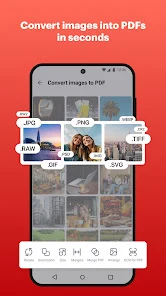
The converter supports JPG to PDF conversion and also handles MS Office documents like Word, Excel, and PowerPoint in reverse. You can easily extract images from PDF documents or merge your own pictures into a single file. The editor allows you to highlight text, add notes, comments, drawings, and images directly on pages.
You can fill out forms and apply an electronic signature with your finger.
How to install the app
- Check the version, Android compatibility, developer and source in the app details block.
- Open the Downloads tab and use the official source or an available catalog link.
- Before installing, review app permissions and use only sources you trust.
Frequently asked questions
What is the main function of ILovePDF on Android?
ILovePDF is a mobile application that allows users to scan, edit, convert, and organize PDF documents efficiently on their Android smartphones or tablets.
Does ILovePDF support OCR technology for text recognition?
Yes, the app includes a built-in OCR module that ensures high accuracy in recognizing text from scanned images and converts it into editable PDF formats.
Can I convert Word and Excel files to PDF using this app?
Yes, the converter supports transforming MS Office documents such as Word, Excel, and PowerPoint files into PDF format and vice versa.
How can I protect my PDF files with ILovePDF?
The application provides security features including password protection for files and the ability to add customizable watermarks with adjustable transparency and font settings.
No comments yet. Be the first!