
KineMaster Pro
Open in Google PlayApp details
- Updated
- 25.10.2021
- Category
- Multimedia
- Package name
com.nexstreaming.app.kinemasterfree- Source
- Official Google Play page
KineMaster Pro stands out as one of the most powerful video editors available for Android devices, offering a robust suite of tools for both casual users and professional creators. The application supports Full HD resolution, ensuring that your videos look crisp and clear on any screen. It allows you to perform a wide variety of editing tasks without any noticeable lag or compromise in quality, making it an ideal choice for high-definition content creation on the go.
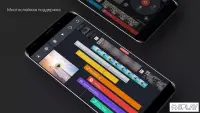
The editor is not limited to just video files; it also supports various image formats and music files, allowing for rich multimedia compositions. You can layer multiple video and image tracks, add sound effects, and apply voiceovers with ease. The inclusion of a large number of filters and additional settings helps users bring their creative vision to life.
Whether you are making a vlog, a travel montage, or a professional presentation, KineMaster Pro provides the flexibility needed to achieve the desired result. Designed with a user-friendly interface, the editor is intuitive and easy to navigate. You do not need to spend hours watching tutorial videos to understand the basics.
The layout is straightforward, allowing you to focus on your creativity rather than figuring out complex controls.
How to install the app
- Check the version, Android compatibility, developer and source in the app details block.
- Open the official app page on Google Play if a link is available.
- Before installing, review app permissions and use only sources you trust.
Frequently asked questions
Does KineMaster Pro support Full HD video editing?
Yes, KineMaster Pro fully supports editing videos in Full HD resolution, ensuring high-quality output for your projects on Android devices.
Can I use images and music in KineMaster Pro?
Absolutely. The app supports various image formats and music files, allowing you to create rich multimedia compositions with multiple layers.
Is KineMaster Pro easy to use for beginners?
Yes, the interface is designed to be simple and intuitive, allowing beginners to start editing without needing to watch extensive tutorials.
What kind of filters are available in the app?
The app includes a large number of filters and additional settings, giving you extensive creative control to customize the look of your videos.
Similar apps



No comments yet. Be the first!