

Microsoft Authenticator
Open in Google PlayApp details
- Version
- 6.2607.4697
- Updated
- 27.07.2026
- Category
- Tools
- Compatibility
- Android 8.0+
- Package name
com.azure.authenticator- Source
- Official Google Play page
Microsoft Authenticator is a user-friendly and secure tool designed to help you log into all your online accounts with ease. Supporting multi-factor authentication (MFA) and passwordless sign-in, this app enhances your online security while simplifying account management. With its additional account management features, you can easily handle your personal, work, or school Microsoft accounts.
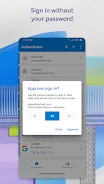
One of the standout features of Microsoft Authenticator is its multi-factor authentication, which adds an extra layer of security by requiring not only your password but also a confirmation through notifications or a one-time password (OTP) generated by the app. The OTP features a 30-second timer, ensuring its uniqueness without needing a network connection. Moreover, the passwordless sign-in option allows you to access your Microsoft account using just your username and a notification confirmation on your phone, supplemented by fingerprint, facial recognition, or PIN for added security.
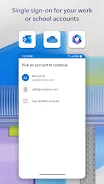
The app also supports multiple accounts, allowing you to add not only Microsoft accounts but also those from other platforms like Facebook, Amazon, and Google. If your employer or educational institution requires it, you can register your device through the app for access to necessary resources. Microsoft Authenticator is an essential tool for anyone who values the security of their online accounts, especially business users, students, and educators who frequently interact with various Microsoft services.
In summary, Microsoft Authenticator is a reliable partner in protecting your data while making the login process quick and secure, all within a simple interface.
How to install the app
- Check the version, Android compatibility, developer and source in the app details block.
- Open the official app page on Google Play if a link is available.
- Before installing, review app permissions and use only sources you trust.
Frequently asked questions
What is Microsoft Authenticator?
Microsoft Authenticator is an app that provides secure login for online accounts using multi-factor authentication.
How does the passwordless sign-in feature work?
You can log in using your username and confirm a notification on your phone without entering a password.
Can I use Microsoft Authenticator for other accounts?
Yes, it supports multiple accounts, including those from Facebook, Amazon, and Google.
Is Microsoft Authenticator free to use?
Yes, Microsoft Authenticator is available for free download on Android.












No comments yet. Be the first!