

Microsoft PowerPoint
DownloadApp details
- Updated
- 24.10.2026
- Category
- Tools
- Compatibility
- ANDROID
- Package name
com.microsoft.office.powerpoint- Developer
- Microsoft Corporation
- Source
- Official Google Play page
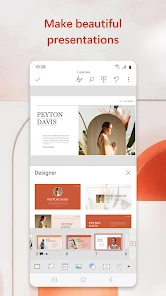
Microsoft PowerPoint remains one of the most powerful and intuitive tools for creating professional presentations. This versatile application allows you to make a lasting impression on your audience thanks to its flexible design options and modern features. The app offers a wide selection of templates and design ideas, enabling you to create elegant slides in just minutes, even if you have no prior experience in graphic design.
You can start from scratch or edit existing files, adapting them perfectly to your specific needs. One of the key advantages of the latest version is the built-in Copilot artificial intelligence, which significantly speeds up your workflow. This helpful assistant helps you condense long sets of slides into short summaries, suggests question and answer variants for meeting preparation, and even allows you to conduct topic research directly through the Copilot chat interface.
It transforms how you prepare content, making the process smarter and more efficient. For those who present publicly, the app includes a Presenter Coach feature based on artificial intelligence. This tool provides real-time feedback on your speaking pace, usage of filler words, and overall material coverage.
It allows you to practice and boost your confidence in public speaking before you step in front of an actual audience.
How to install the app
- Check the version, Android compatibility, developer and source in the app details block.
- Open the Downloads tab and use the official source or an available catalog link.
- Before installing, review app permissions and use only sources you trust.
Frequently asked questions
Does Microsoft PowerPoint support real-time collaboration?
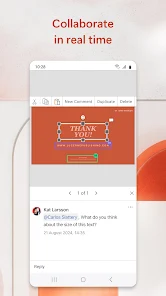
Yes, you can work on the same file simultaneously with other users, manage access rights, and track changes directly within the slides on your Android device.
What is the Copilot feature in PowerPoint?
Copilot is a built-in artificial intelligence assistant that helps condense slides, suggests Q&A variants, and conducts topic research directly through the chat interface.
How does the Presenter Coach help users?
The Presenter Coach provides real-time feedback on your speaking pace, usage of filler words, and overall material coverage to help you practice and boost confidence.
Is data synchronized across devices?
Yes, synchronization via OneDrive ensures your data is available on all devices, guaranteeing consistency of work anywhere and anytime without losing your progress.








No comments yet. Be the first!