
PDF Editor: Reader & Scanner
Open in Google PlaySpaceAPK does not provide APK files. A listed Google Play link is a reference: check the store for availability, version, price and paid features. The catalog version is not offered as a downloadable file.
App details
- Recorded version
- 1.0.3
- Updated
- 23.09.2026
- Category
- Tools
- Compatibility
- Android
- Package name
com.pdfeditor.reader.scanner.document.pdftool- Source
- Google Play reference
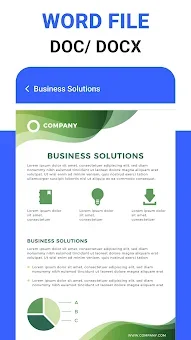
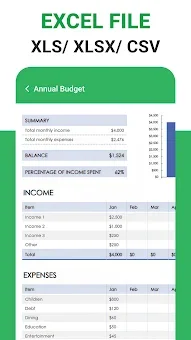
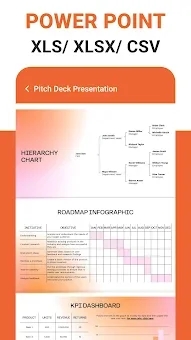
The PDF Editor: Reader & Scanner application is a robust and feature-rich utility designed for efficient document management directly on your Android smartphone. This all-in-one tool combines essential capabilities for reading, editing, scanning, and organizing PDF files within a single, user-friendly interface. It allows you to open office files, convert paper documents into digital formats, and manage important information without unnecessary effort, making it an ideal companion for students, professionals, and anyone who deals with digital paperwork on the go.
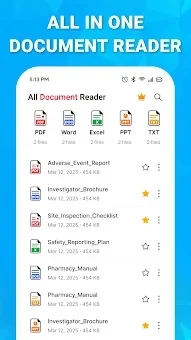
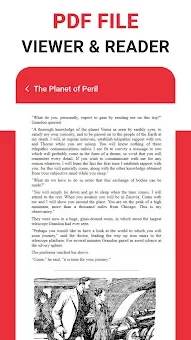
The application features a powerful reading mode that ensures smooth document display, allowing you to easily scroll through text within PDFs. You can zoom in or out to get a better view of details and seamlessly switch between pages. For quick access to your materials, the app provides a convenient preview of recently opened files and your favorite documents, ensuring that your most important resources are always just a tap away.
The interface is optimized for clarity and ease of use, reducing the learning curve for new users. Editing capabilities are comprehensive, enabling you to work fully with text and annotations. You can add your own notes, highlight important sections, create underlines, and draw or write handwritten text directly on the pages.
Special attention is given to contract management, with tools that allow you to fill out forms and apply electronic signatures.
Availability and source
- Check the version, Android compatibility, developer and source in the app details block.
- Open the official app page on Google Play if a link is available.
- Before installing, review app permissions and use only sources you trust.
Frequently asked questions
Can I edit text and add annotations in PDF files?
Yes, the app allows you to fully edit text, add notes, highlight sections, draw, and write handwritten text directly on the pages for better document customization.
Does the app support electronic signatures for contracts?
Yes, it includes specific tools to fill out forms and apply electronic signatures, making it suitable for managing and signing important contracts and documents on the go.
How does the document scanner work on Android?
The built-in scanner uses your phone camera to convert paper sheets into high-quality PDF files. You can scan receipts, notes, and official documents, then crop and adjust them for optimal results.
Can I organize and manage multiple PDF files?
Yes, you can rotate pages, change their order, delete them, and access recently opened or favorite documents quickly, ensuring efficient management of your digital library.
No comments yet. Be the first!