
PDF Photos & PDF Reader
DownloadApp details
- Version
- 1.0.4
- Updated
- 10.09.2026
- Category
- Tools
- Compatibility
- Android
- Package name
com.qysga.pdfphoto.hrmn- Source
- Official Google Play page
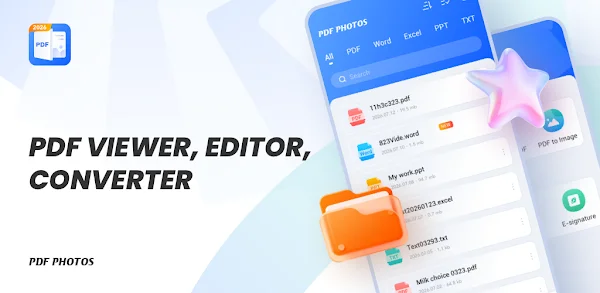
The PDF Photos & PDF Reader APK is a streamlined Android application designed to simplify how you interact with digital documents on smartphones and tablets. With intuitive navigation and instant loading speeds, this tool offers a smooth reading experience for both casual users and professionals. It serves as an all-in-one solution for opening, previewing, and managing various file types, making it an essential utility for daily office tasks, academic study, and business needs.
This versatile app supports a wide range of document formats, including PDF, Word, Excel, and PPT files. Users can effortlessly browse through multi-format office documents without needing multiple separate applications. The robust viewer ensures that text and layouts remain clear and readable, meeting everyday demands for accessing and checking document contents quickly and efficiently on any Android device.
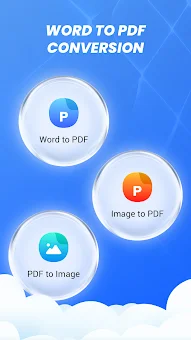
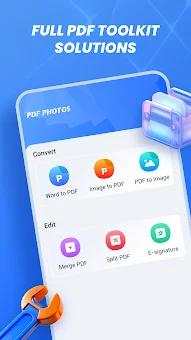
One of the standout features is the comprehensive file conversion toolkit. You can easily transform photos, JPGs, and PNGs into standard PDF files, or use the built-in camera scanner to capture paper documents and save them directly as PDFs. This capability turns your mobile device into a portable scanner, allowing you to digitize paperwork on the go with high accuracy and speed.
Managing your documents has never been easier. The app automatically scans your device to display all local PDF files in a unified list, enabling you to organize, merge, or split documents with just a few taps.
How to install the app
- Check the version, Android compatibility, developer and source in the app details block.
- Open the Downloads tab and use the official source or an available catalog link.
- Before installing, review app permissions and use only sources you trust.
Frequently asked questions
What file formats does the PDF Photos & PDF Reader support?
The app supports PDF, Word, Excel, and PPT files, allowing you to view and manage various office documents in one place.
Can I convert images to PDF using this app?
Yes, you can easily convert JPG and PNG images into standard PDF files using the built-in conversion toolkit.
Does the app include a document scanner?
Yes, the app features a built-in camera scanner that allows you to take photos of paper documents and save them directly as PDFs.
Is this app suitable for students and office workers?
Absolutely. With its clean layout and powerful management features, it is ideal for academic learning and daily office tasks.

No comments yet. Be the first!