
PDF Read: Edit & Convert
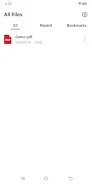
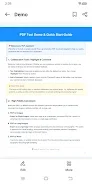
DownloadPDF Read: Edit & Convert is a versatile tool that combines PDF editing capabilities with app management features right from your home screen. This application provides a simple and user-friendly experience, making it an essential assistant for anyone working with PDF files and looking to optimize their workspace. With its intuitive interface, users can open and view PDF documents seamlessly, ensuring a smooth reading experience.
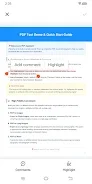
One of the standout features is customizable text highlighting. Users can select different colors to emphasize key points and important content, making document structure clear at a glance. This is particularly useful for students and professionals who need to review and annotate documents frequently.
The flexible commenting options allow users to highlight specific sentences or paragraphs in a PDF, adding personal notes that help organize thoughts and share ideas with peers or colleagues. Additionally, PDF Read: Edit & Convert supports converting PDF files into images or Word documents, catering to various needs. Whether you need single images, long images, or complete Word documents, this app has you covered.
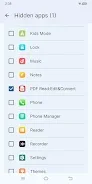
The app launcher enhances productivity by organizing all your device's applications in a separate panel with a search function, making it easy to find what you need. For privacy management, users can easily hide apps to protect their privacy. By simply long-pressing an app icon in the app panel, they can access settings to activate the 'Hide' option.
Moreover, users can choose from a variety of app icon shapes to create a personalized home screen that reflects their style. PDF Read: Edit & Convert is perfect for students, professionals, educators, and anyone who frequently works with PDF documents. Use PDF Read: Edit & Convert to enhance your work environment and boost your efficiency!
Similar apps


No comments yet. Be the first!
Leave a comment