
PDF Reader - All PDF Scanner
DownloadApp details
- Version
- 1.1.2
- Updated
- 16.10.2026
- Category
- Tools
- Compatibility
- Android 8.0+
- Package name
com.first.pdfreader- Source
- Official Google Play page
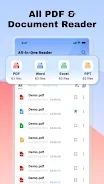
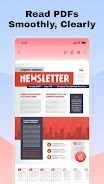
PDF Reader - All PDF Scanner is a powerful and user-friendly PDF viewer and editor designed for efficient management of your local files. This app allows you to quickly open, edit, and organize documents, making it an indispensable tool for handling files. It supports multiple document formats, enabling you to swiftly view and read PDFs, Word, Excel, PowerPoint, and other popular formats with clear display and smooth loading.
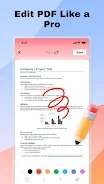
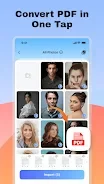
With built-in PDF editing tools, you can easily add annotations or text to your PDF documents using integrated drawing and text input features. One of the standout features is the ability to convert images into PDFs. You can effortlessly turn multiple images from your phone into a single PDF file with just one touch.
The automatic formatting makes archiving and sharing files simple and efficient. Additionally, the app provides a scanning feature that utilizes your phone's camera to scan paper documents, receipts, or notes, instantly converting them into high-quality PDF files. Importing and organizing documents is seamless, allowing you to store, categorize, and delete local documents with ease, ensuring your files are orderly and easily accessible.
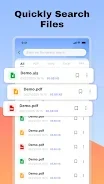
The smart document search function allows you to quickly find files by name or keyword, enhancing your productivity. This app is particularly useful for students, office workers, freelancers, and anyone who frequently works with PDF documents and other files. PDF Reader - All PDF Scanner offers a simple-to-use interface and powerful editing and management tools, making it an excellent choice for anyone looking to efficiently handle digital documents.
Whether for personal or professional use, this app provides the essential features needed to manage your documents effectively.
How to install the app
- Check the version, Android compatibility, developer and source in the app details block.
- Open the Downloads tab and use the official source or an available catalog link.
- Before installing, review app permissions and use only sources you trust.
Frequently asked questions
What formats does PDF Reader support?
PDF Reader supports PDF, Word, Excel, PowerPoint, and other popular document formats.
Can I scan documents using this app?
Yes, you can use your phone's camera to scan paper documents and convert them into high-quality PDFs.
Is it easy to organize documents?
Absolutely! The app allows you to import, categorize, and manage your documents efficiently.
Does it have editing tools?
Yes, PDF Reader includes built-in tools for adding annotations and text to your PDF files.
No comments yet. Be the first!