
PDF Reader: All Files
DownloadApp details
- Version
- 1.0.0.0
- Updated
- 07.10.2026
- Category
- Tools
- Compatibility
- Android
- Package name
com.allreader.pdf- Source
- Official Google Play page
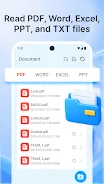
PDF Reader: All Files is your all-in-one solution for handling various document formats on your Android device. Say goodbye to the hassle of multiple apps; this powerful PDF reader allows you to open and view PDF, Word, Excel, PPT, and TXT files seamlessly. Whether you need to check a report, read a presentation, or review a contract, this app has you covered with its multi-format viewing capabilities.
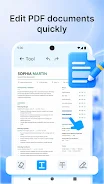
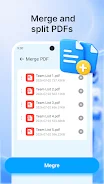
Editing PDFs has never been easier. With PDF Reader: All Files, you can merge or split files, highlight important text, underline key points, and even add handwritten notes. This makes it an ideal tool for students, professionals, and anyone who frequently works with documents.
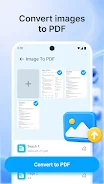
You can also convert images into PDF files in just a few simple steps, perfect for saving receipts, homework, or certificates. Need to convert a Word document to PDF? This app simplifies the process, allowing you to create professional PDF files for sharing, printing, or archiving.
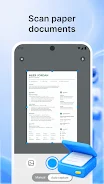
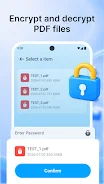
Additionally, you can use your camera as a portable document scanner, making it easy to scan and save invoices, books, reports, and more directly to PDF format. Security is a priority with PDF Reader: All Files. You can encrypt your PDF files to protect sensitive information, ensuring your documents remain secure.
With features like quick editing, document scanning, and conversion capabilities, this app is designed to enhance your productivity. Download PDF Reader: All Files today to streamline your document management on Android. For assistance, feel free to reach out via email at [email protected].
How to install the app
- Check the version, Android compatibility, developer and source in the app details block.
- Open the Downloads tab and use the official source or an available catalog link.
- Before installing, review app permissions and use only sources you trust.
Frequently asked questions
What file formats can I open with PDF Reader: All Files?
You can open PDF, Word, Excel, PPT, and TXT files.
Can I edit PDF files using this app?
Yes, you can merge, split, and annotate PDF documents easily.
Is it possible to scan documents to PDF?
Yes, you can use your camera to scan and save documents as PDFs.
How do I protect my PDF files?
You can encrypt your PDF files to keep them secure.
No comments yet. Be the first!