
PDF Scanner - Scan Docs & PDF
Open in Google PlaySpaceAPK does not provide APK files. A listed Google Play link is a reference: check the store for availability, version, price and paid features. The catalog version is not offered as a downloadable file.
App details
- Recorded version
- 16.0
- Updated
- 22.09.2026
- Category
- Tools
- Compatibility
- Android 8.0+
- Package name
mobile.scanner.pdf- Source
- Google Play reference
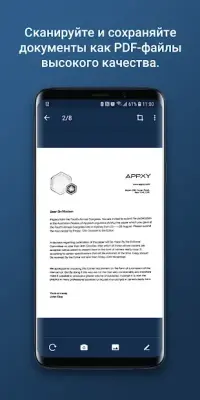
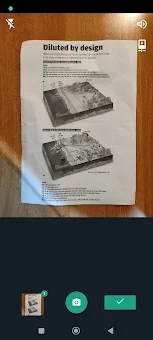
PDF Scanner - Scan Docs & PDF allows you to effortlessly scan and create high-quality PDF files directly from your Android device. Utilizing your camera or existing photos from your gallery, this app provides a simple and efficient way to digitize documents, receipts, notes, and more. Best of all, PDF generation is done entirely offline, ensuring your sensitive information remains private and secure.
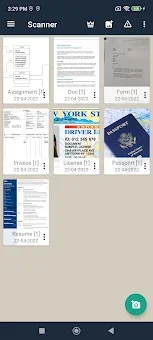
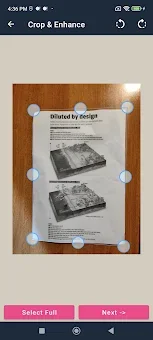
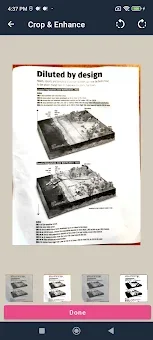
With an intuitive interface, navigating through the app is a breeze, making it accessible for all users. One of the standout features of PDF Scanner is its ability to maintain a history of your scanned documents, allowing you to easily revisit your most recent files. The app also offers advanced features such as cropping and applying filters to enhance the visibility of your documents.
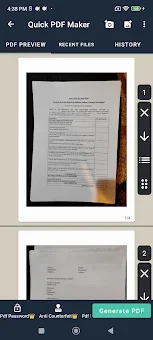
Whether you're a student needing to scan lecture notes or a professional handling important paperwork, this app serves as a reliable scanner right in your pocket. You can easily share your scanned documents as images or PDFs via email or other platforms, making collaboration and sharing a seamless experience. The app supports multiple images, allowing you to combine them into a single PDF document effortlessly.
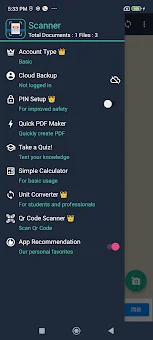
PDF Scanner also offers cloud backup options through services like Dropbox, ensuring your documents are safely stored. With no subscription fees and unlimited scans, PDF Scanner - Scan Docs & PDF is completely free to use.
Availability and source
- Check the version, Android compatibility, developer and source in the app details block.
- Open the official app page on Google Play if a link is available.
- Before installing, review app permissions and use only sources you trust.
Frequently asked questions
How do I scan a document using PDF Scanner?
Simply open the app, select the scan option, and use your camera or choose a photo from your gallery.
Is PDF Scanner free to use?
Yes, PDF Scanner is completely free with no subscription fees or hidden charges.
Can I share my scanned documents?
Absolutely! You can easily share your scanned documents as images or PDFs via email or other apps.
Does PDF Scanner work offline?
Yes, all features of PDF Scanner work offline, ensuring your documents remain private.
Similar apps




No comments yet. Be the first!