
PDF Toolkit: Viewer & Editor
Open in Google PlaySpaceAPK does not provide APK files. A listed Google Play link is a reference: check the store for availability, version, price and paid features. The catalog version is not offered as a downloadable file.
App details
- Recorded version
- 1.2.1
- Updated
- 20.09.2026
- Category
- Tools
- Compatibility
- Android 8.0+
- Package name
com.pdfkit.viewereditor- Source
- Google Play reference
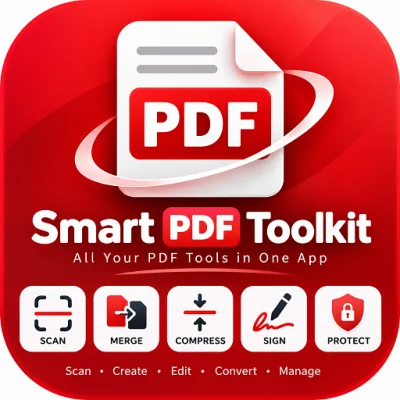
PDF Toolkit: Viewer & Editor is a comprehensive Android application designed to streamline your document management workflow. This versatile tool combines reading, editing, and organizing capabilities into a single, efficient interface. It is crafted to meet the diverse needs of users in their daily lives, whether for studying, office work, signing documents, or simply organizing digital files.
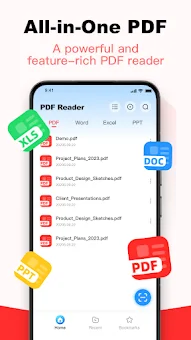
The app allows you to work effectively with various file types, ensuring quick access to necessary information without switching between multiple programs. One of the key features is its support for multiple document formats. The app automatically scans and opens popular formats such as PDF, Word, PPT, and Excel.
This centralizes your file management, making it convenient to sort and handle different document types without needing to install separate applications for each format. You can manage all your documents in one place, enhancing productivity and reducing clutter on your device. The application also includes professional editing tools.
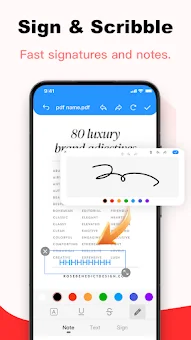
Users can annotate, draw with a brush, add handwritten signatures, and insert text directly into PDF files. This allows for direct modifications, note-taking, and adding explanations right within the document, significantly simplifying the process of reviewing and approving files.
Availability and source
- Check the version, Android compatibility, developer and source in the app details block.
- Open the official app page on Google Play if a link is available.
- Before installing, review app permissions and use only sources you trust.
Frequently asked questions
What document formats does PDF Toolkit support?
The application supports viewing and editing of popular formats including PDF, Word, PPT, and Excel files, allowing for centralized document management.
Is my data secure when using this app?
Yes, all files are processed locally on your device and are not uploaded to the cloud, ensuring minimal risk of private information leakage.
Can I convert photos to PDF using this app?
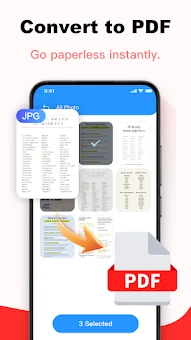
Yes, the app allows you to quickly convert photos from your mobile device into PDF format with batch import and automatic layout features.
Does the app require an internet connection to work?
No, the app processes files locally on your device, so you can view, edit, and convert documents without needing an active internet connection.
No comments yet. Be the first!