
PlayerPro Music Player
DownloadApp details
- Version
- 5.40 (247)
- Updated
- 11.10.2021
- Category
- Multimedia
- Package name
com.tbig.playerpro- Developer
- BlastOn SA
- Source
- Official Google Play page
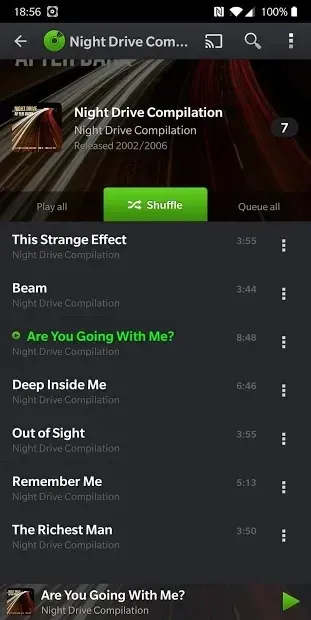
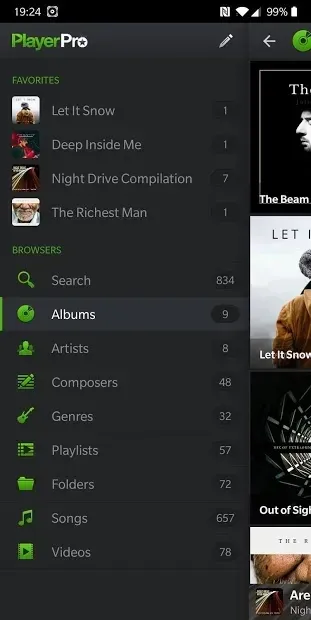
PlayerPro Music Player stands out as one of the most comprehensive audio players available for Android devices. It supports a wide variety of audio formats, ensuring that your entire music library plays smoothly without compatibility issues. The app is designed to handle large collections with ease, maintaining high performance even when managing thousands of tracks.
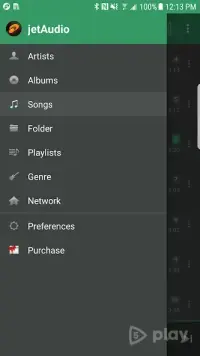
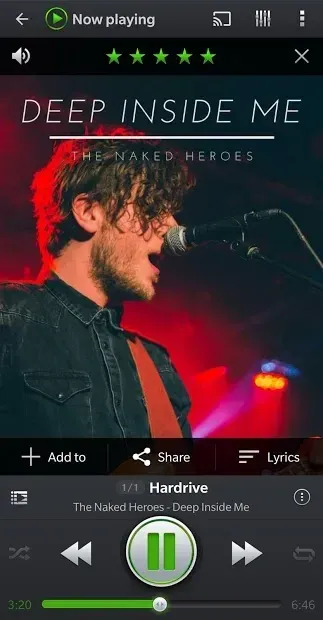
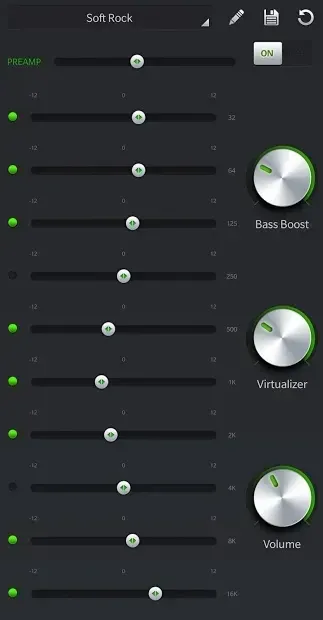
Users can enjoy rich sound quality with customizable equalizer settings that adapt to different music genres and personal preferences. The interface is intuitive, making navigation straightforward whether you are browsing playlists or searching for specific songs. Beyond audio, PlayerPro has expanded its capabilities to include video playback.
You can watch clips, series, and movies directly within the app, adding a multimedia dimension to your entertainment. The design is sleek and modern, with customizable themes and skins that allow you to personalize the look of the player. You can download free skins from the Google Play store to change the appearance according to your mood.
This flexibility ensures that the app remains fresh and visually appealing over time, catering to users who value both functionality and aesthetics in their media players. One of the key features is the automatic downloading of album covers, lyrics, and detailed track information. This saves time and enhances the listening experience by providing context for each song.
How to install the app
- Check the version, Android compatibility, developer and source in the app details block.
- Open the Downloads tab and use the official source or an available catalog link.
- Before installing, review app permissions and use only sources you trust.
Frequently asked questions
Does PlayerPro Music Player support video playback?
Yes, PlayerPro supports video playback, allowing you to watch clips, series, and movies directly within the app for a complete multimedia experience.
Can I customize the appearance of the app?
Absolutely. You can change the app's theme and download free skins from the Google Play store to personalize the look and feel of the player.
Does it automatically download album covers and lyrics?
Yes, the app automatically fetches album covers, lyrics, and detailed track information, enhancing your music listening experience with rich metadata.
Is the equalizer customizable for different music genres?
Yes, you can adjust the equalizer manually or use predefined templates for various genres like rock, classical, or electronic music to optimize sound quality.
Similar apps



Version history
Below are the catalog pages found for this app. When a source changelog is available, it will be added separately.
No comments yet. Be the first!