
Remote for LG Smart TV
DownloadApp details
- Version
- 2.3.18
- Updated
- 16.09.2026
- Category
- Tools
- Compatibility
- Android 12+
- Package name
com.kraftwerk9.smartify- Source
- Official Google Play page
Transform your smartphone or tablet into a powerful control center for your home entertainment with the Remote for LG Smart TV APK. This free application, known as Smartify, turns your Android device into a comprehensive universal remote, offering a seamless experience for managing your LG Smart TV. Whether you are relaxing on the couch or preparing for a movie night, this app provides all the necessary tools to navigate your TV interface with ease and precision.
Setting up the remote is incredibly straightforward. Simply ensure both your LG TV and your Android device are connected to the same Wi-Fi network. After a simple pairing procedure, you can instantly control your TV from your mobile device.
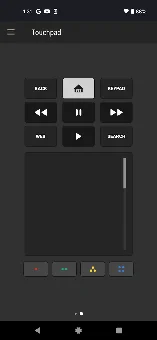
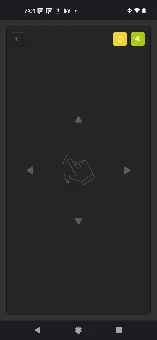
The application supports all TV models running the WebOS operating system, as well as Netcast models released since 2012, making it a versatile solution for a wide range of devices. The automatic connection feature saves you time by eliminating the need to enter a PIN code every time you want to connect to the TV. The interface is designed for intuitive use, featuring a large touchpad that allows you to easily flick and select content on the TV screen.
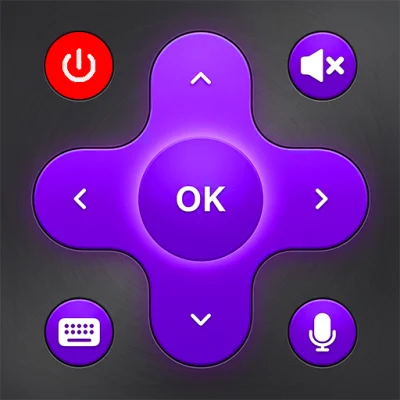
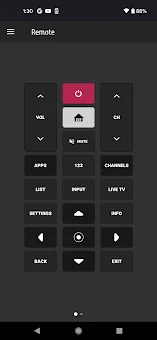
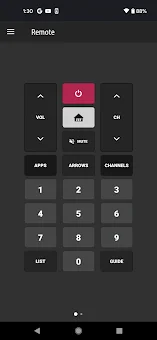
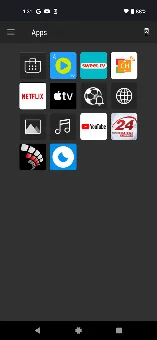
You get access to a comprehensive set of buttons that cover all essential functions of your LG TV. From volume control to channel switching, every necessary command is at your fingertips.
How to install the app
- Check the version, Android compatibility, developer and source in the app details block.
- Open the Downloads tab and use the official source or an available catalog link.
- Before installing, review app permissions and use only sources you trust.
Frequently asked questions
Does the Remote for LG Smart TV APK work with all LG models?
Yes, the application supports all TV models with the WebOS operating system, as well as Netcast models released since 2012, ensuring broad compatibility.
How do I connect the app to my LG TV?
Connect your TV and Android device to the same Wi-Fi network, then follow the simple pairing procedure to establish a connection automatically.
Is the keyboard feature available for all apps?
Text input is only available in TV apps that support the TV keyboard. Services like Netflix and YouTube have their own keyboards and are not supported.
Does the app require a monthly subscription?
No, Smartify is a free remote control application. It offers all essential features including touchpad, keyboard, and automatic connection without any subscription fees.
No comments yet. Be the first!