
Smart TV Remote Control
Open in Google PlaySpaceAPK does not provide APK files. A listed Google Play link is a reference: check the store for availability, version, price and paid features. The catalog version is not offered as a downloadable file.
App details
- Recorded version
- 1.2.3
- Updated
- 23.09.2026
- Category
- Tools
- Compatibility
- Android 10+
- Package name
com.tv.remote.control.larrybrook.app- Source
- Google Play reference
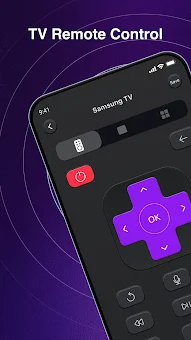
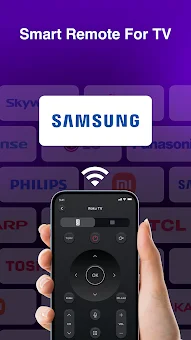
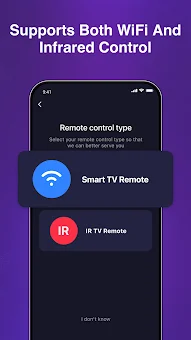
Transform your smartphone into a powerful and versatile remote for your Smart TV with this comprehensive Android application. By connecting your device to the television via Wi-Fi, you can easily control supported models from the comfort of your couch. The app acts as a digital bridge, allowing you to manage volume, switch channels, and navigate menus with intuitive gestures.
It is designed to be user-friendly for individuals of all technical skill levels, ensuring a seamless experience whether you are watching live TV or browsing apps. The application offers a wide range of features to enhance your media consumption experience. You can discover compatible TVs on the same network and adjust settings such as volume and playback controls.
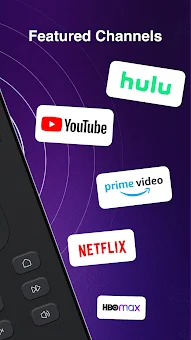
The interface provides a simple and convenient layout for daily use, making it easy to open installed applications on the TV and view available channels. While specific functions may vary depending on the TV brand, model, and network environment, the core functionality remains robust and reliable for everyday entertainment needs. An optional home panel feature turns your phone into a full-fledged control center.
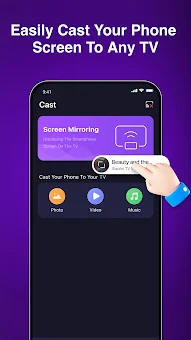
This launcher provides quick access to installed apps, TV controls, screen mirroring, and even a flashlight function. Users can also access web search, weather information, news updates, and other useful content directly from the home screen.
Availability and source
- Check the version, Android compatibility, developer and source in the app details block.
- Open the official app page on Google Play if a link is available.
- Before installing, review app permissions and use only sources you trust.
Frequently asked questions
How does the app connect to my TV?
The app connects to your Smart TV over a local Wi-Fi network. Ensure both your Android device and the TV are connected to the same network for the app to detect and control the television seamlessly.
Does the app work with all TV brands?
The app supports a wide range of Smart TV brands and models. However, specific features may vary depending on the TV manufacturer and model. It is recommended to check the compatibility list within the app for the most accurate information.
Can I use the home panel as my main launcher?
Yes, you can set the optional home panel as your default launcher. However, it is not mandatory, and you can easily switch back to your original Android home screen through the settings at any time.
What extra features does the home panel offer?
The home panel includes quick access to apps, TV controls, screen mirroring, a flashlight, web search via Google, weather updates, and news. It transforms your phone into a comprehensive smart control center.
No comments yet. Be the first!
Leave a comment