
Screen Recorder
DownloadApp details
- Version
- 0.3.0
- Updated
- 16.10.2026
- Category
- Multimedia
- Compatibility
- Android
- Package name
com.jedy.screenrecorder.gamerecorder- Source
- Official Google Play page
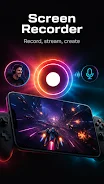
Screen Recorder is a versatile Android application designed for capturing your device's screen with exceptional clarity and ease. This tool combines intuitive usability with high-quality video output, making it perfect for gamers, educators, and content creators alike. Whether you are recording gameplay highlights, creating tutorial guides, or documenting important moments in your daily life, this app ensures every detail is preserved in crisp resolution.
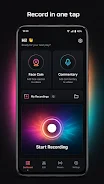
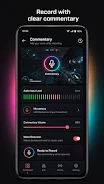
The interface is crafted to be user-friendly, allowing you to start recording with just a few taps while maintaining a smooth experience even during extended sessions. One of the standout features is its robust audio support. You can record system sounds, in-game audio, or your own voice commentary, ensuring your videos are complete and easy to understand.
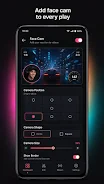
For those who create reaction videos or vlogs, the built-in facecam feature allows you to overlay your camera feed onto the screen recording. You can also use the dual-camera mode to add a personal touch, enhancing the emotional connection with your audience. The design minimizes visual clutter, so controls do not obstruct your view of the action on screen.
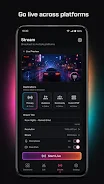
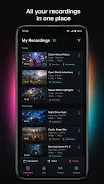
The app serves as an effective tool for quick demonstrations and app feature showcases. Its video recorder simplifies the export process, resulting in smooth, professional-looking clips ready for sharing on social media platforms.
How to install the app
- Check the version, Android compatibility, developer and source in the app details block.
- Open the Downloads tab and use the official source or an available catalog link.
- Before installing, review app permissions and use only sources you trust.
Frequently asked questions
Does Screen Recorder support audio recording?
Yes, the app supports recording system sounds, in-app audio, and microphone input for clear synchronization.
Can I use a facecam while recording?
Yes, you can overlay your camera feed or use the dual-camera mode to add a personal touch to your videos.
Is the app suitable for gaming?
Absolutely, it is ideal for capturing gameplay highlights, walkthroughs, and victories with smooth performance.
Similar apps



No comments yet. Be the first!