

Send to TV: File Transfer
Open in Google PlayApp details
- Version
- 1.0
- Updated
- 31.07.2026
- Category
- Tools
- Compatibility
- Android
- Package name
com.mtv.sendfilestotv- Source
- Official Google Play page
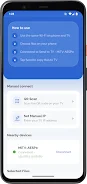
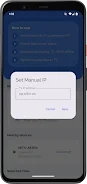
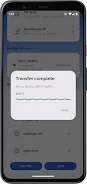
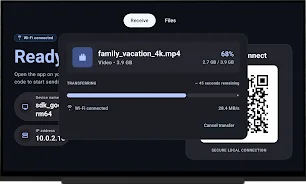
Send to TV: File Transfer is a user-friendly application that allows you to effortlessly transfer files from your Android devices directly to your TV. Share photos, videos, documents, and more from your smartphone or tablet to your Android TV through Wi-Fi, eliminating the need for cables and complicated setups. With its fast file transfer capabilities, simply select the file, choose your TV, and start the transfer process.
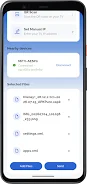
The app supports various file types, including images, videos, APK files, documents, music, and archives stored on your device. It ensures a quick transfer without uploading files to our servers, as everything is transferred directly between devices over your local Wi-Fi network. This app is perfect for anyone looking to send photos and videos to their TV for a larger viewing experience, transfer APK files to install new apps on Android TV, or share documents and files between devices.
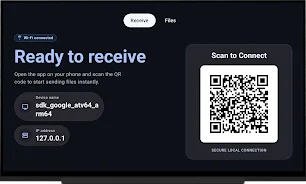
In summary, Send to TV: File Transfer offers a simple and convenient way to send files to your TV. With just a few easy steps—open the app on both devices, ensure they are connected to the same Wi-Fi network, select the file, choose the receiving device, and initiate the transfer—you can share files on your TV effortlessly. No registration or account creation is required, making it easier than ever to share your media!
How to install the app
- Check the version, Android compatibility, developer and source in the app details block.
- Open the official app page on Google Play if a link is available.
- Before installing, review app permissions and use only sources you trust.
Frequently asked questions
How do I transfer files to my TV?
Open the app on both devices, connect to the same Wi-Fi, select the file, choose your TV, and start the transfer.
What types of files can I send?
You can send photos, videos, documents, APK files, music, and archives.
Do I need to create an account?
No, you do not need to register or create an account to use the app.
Is there a file size limit?
The app supports transferring large files without the need for cloud storage.
Similar apps


No comments yet. Be the first!