

Simple PDF
DownloadApp details
- Version
- 1.0.3
- Updated
- 01.10.2026
- Category
- Tools
- Compatibility
- Android
- Package name
io.simpledoc.pdfviewer- Developer
- CUSTOM GRINDERS
- Source
- Official Google Play page
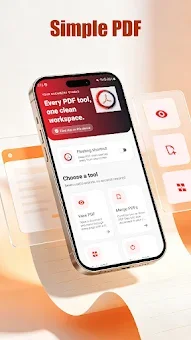
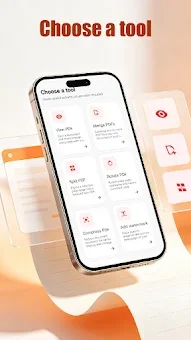
Simple PDF is a streamlined and intuitive utility app designed for the efficient management of PDF files on your Android device. Built on a philosophy of minimalism, this application offers exactly seven essential functions, removing unnecessary complexity to help you focus on what matters. It is the perfect tool for users who value their time and want to perform common document operations with just a few taps, without draining device resources with bloated features.
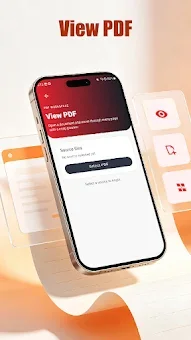
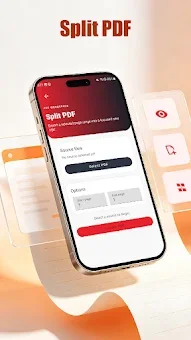
The app provides a complete set of tools for working with PDF formats. You can easily view documents of any size quickly and without losing quality. It allows you to split large files into separate parts or merge multiple PDF documents into one convenient file.
Additionally, you can compress heavy PDF files to reduce their size for easy sharing via email or saving to your mobile storage. Simple PDF also includes useful features like page rotation to correct text orientation and the ability to add watermarks to protect your documents from unauthorized use. You can convert images into PDF format, combining photos or scans into a single document.
This makes it ideal for students gathering notes, business users preparing reports, and office workers who frequently handle electronic documents. Whether you are scanning paper files directly from your phone or need to quickly merge several lists into one file, Simple PDF is a reliable instrument for basic PDF manipulations.
How to install the app
- Check the version, Android compatibility, developer and source in the app details block.
- Open the Downloads tab and use the official source or an available catalog link.
- Before installing, review app permissions and use only sources you trust.
Frequently asked questions
What is Simple PDF APK used for?
Simple PDF APK is a minimal utility app for Android that allows users to merge, split, compress, and convert images to PDF files efficiently without bloat.
Does Simple PDF support image to PDF conversion?
Yes, the app allows you to convert images into PDF format, combining multiple photos or scans into a single document for easier sharing and storage.
Is Simple PDF suitable for business users?
Absolutely. It is designed for students, business users, and office workers who need to prepare reports, scan paper files, or merge lists quickly on their devices.
How does Simple PDF help with file size?
The app includes a compression feature that reduces the size of heavy PDF files, making them easier to send via email or save to limited mobile storage space.
No comments yet. Be the first!