

Sniffer Wicap 2 Pro
Open in Google PlaySpaceAPK does not provide APK files. A listed Google Play link is a reference: check the store for availability, version, price and paid features. The catalog version is not offered as a downloadable file.
App details
- Recorded version
- 2.0.6
- Updated
- 12.04.2021
- Category
- Arcade
- Compatibility
- Android 4.4
- Package name
com.evbadroid.wicap- Source
- Google Play reference
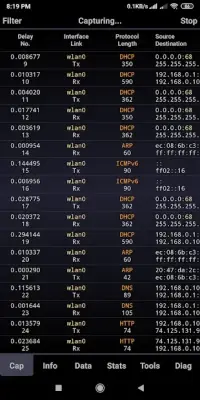
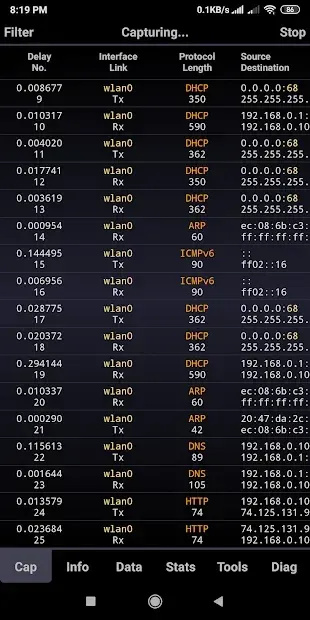
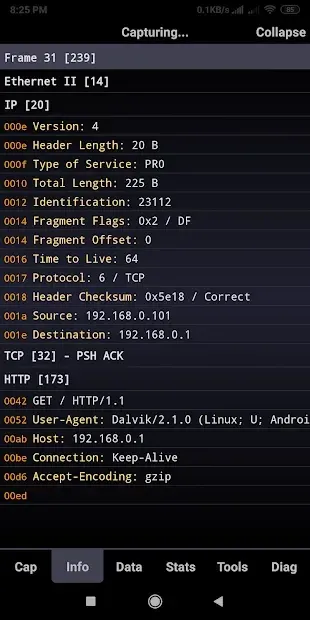
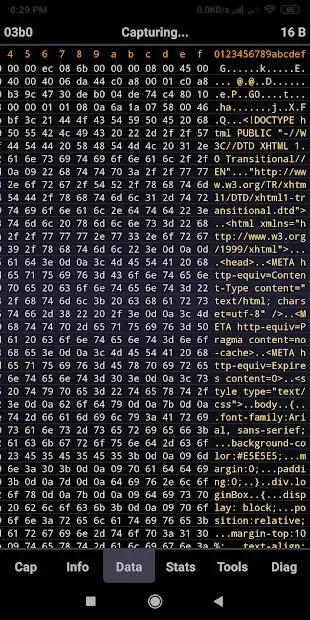
Sniffer Wicap 2 Pro is a powerful Android application designed for users who need deep insights into their mobile network traffic. This utility allows you to analyze data packets in real-time, providing a clear view of what is happening on your connection. Whether you are troubleshooting connectivity issues or simply curious about data usage, this APK offers the tools necessary to monitor your network activity effectively.
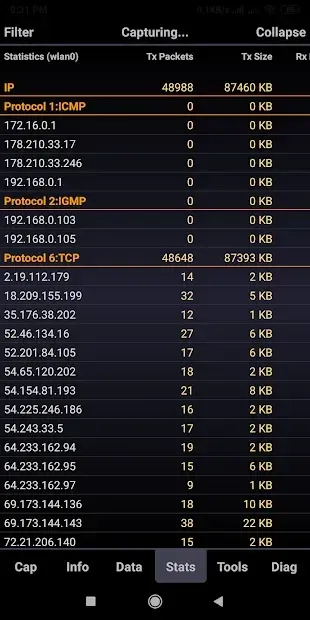
One of the standout features of this app is its ability to display data from multiple network interfaces simultaneously. You can view statistics for both 3G and WiFi connections side by side. This parallel processing capability ensures that you do not miss any critical information, regardless of which network your device is currently using.
It is an essential tool for network administrators and tech-savvy users alike. The application is versatile in its display options, supporting both vertical and horizontal screen orientations. This flexibility makes it easier to read detailed packet information depending on your device setup.
The interface is designed to be intuitive, allowing you to navigate through complex network data without confusion. You can easily switch between views to get the most relevant information for your current task. Sniffer Wicap 2 Pro comes packed with a variety of useful functions to enhance your networking experience.
It includes notifications for packet captures, ensuring you never miss important data events.
Availability and source
- Check the version, Android compatibility, developer and source in the app details block.
- Open the official app page on Google Play if a link is available.
- Before installing, review app permissions and use only sources you trust.
Frequently asked questions
What is the main purpose of Sniffer Wicap 2 Pro?
The main purpose of Sniffer Wicap 2 Pro is to analyze mobile network traffic in real-time, allowing users to monitor data packets and understand network activity on their Android device.
Can Sniffer Wicap 2 Pro monitor both 3G and WiFi networks?
Yes, Sniffer Wicap 2 Pro can display data from multiple network interfaces simultaneously, including both 3G mobile networks and WiFi connections, allowing for comprehensive network monitoring.
Does the app support different screen orientations?
Yes, the application works in both vertical and horizontal screen orientations, providing flexibility for users to view detailed packet information and statistics in the layout that suits them best.
What additional features does Sniffer Wicap 2 Pro offer?
The app includes packet capture notifications, a built-in statistics analyzer, a root terminal for advanced commands, and an information viewer, making it a complete tool for network analysis and troubleshooting.
Similar apps






No comments yet. Be the first!