

Solid Explorer File Manager
DownloadApp details
- Version
- 2.8.4
- Updated
- 16.10.2026
- Category
- Arcade
- Compatibility
- Android 4.1
- Package name
pl.solidexplorer2- Source
- Official Google Play page
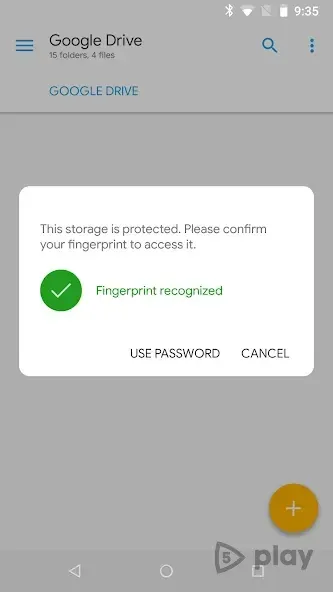
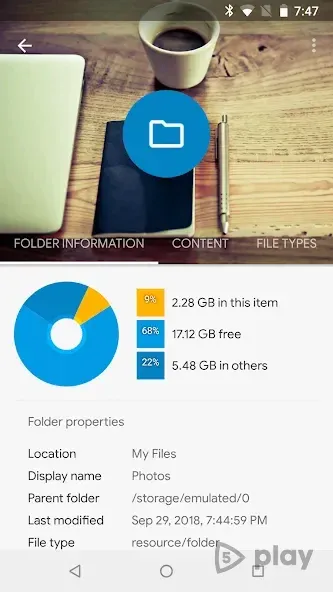
Solid Explorer File Manager is a powerful and intuitive file manager for Android devices that goes beyond simple browsing. It offers a comprehensive suite of tools for managing your files, folders, and archives. Whether you need to view documents on your device or compress and extract zip files, this app provides all the necessary utilities in a compact package.
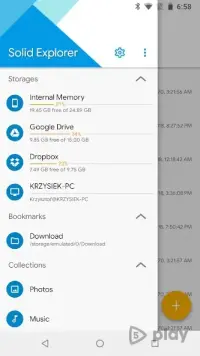
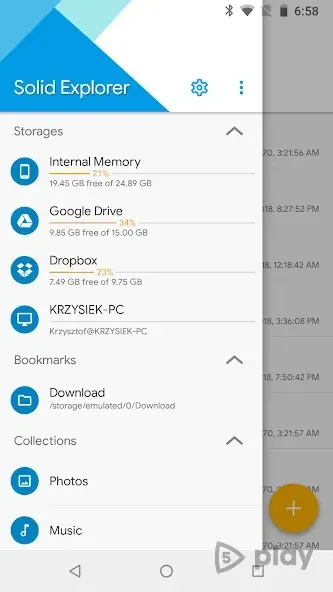
The interface is designed with Material Design principles, ensuring a modern and user-friendly experience. The main screen displays the contents of your internal storage by default, and the app remembers your last position for easy navigation. Access the main menu via a swipe gesture from the left or by tapping the icon in the top-left corner.
A storage indicator also serves as a quick link to your home directory. Below this, you will find customizable bookmarks that can be edited and reordered to suit your workflow. Collections are organized below the bookmarks, primarily grouping multimedia files and installed applications.
The gear icon in the top-right corner leads to settings where you can change themes, color schemes, icon styles, and sorting orders. This level of customization allows you to tailor the app to your specific preferences and visual needs. The standout feature is the dual-pane mode, activated in landscape orientation.
This layout significantly enhances productivity by allowing you to compare folders and move files between them effortlessly.
How to install the app
- Check the version, Android compatibility, developer and source in the app details block.
- Open the Downloads tab and use the official source or an available catalog link.
- Before installing, review app permissions and use only sources you trust.
Frequently asked questions
Does Solid Explorer File Manager support archive files?
Yes, the application includes built-in tools for packing and unpacking archive files such as ZIP formats, making it a complete file management solution.
How do I access the settings menu?
You can access the settings by tapping the gear icon located in the top-right corner of the interface, where you can customize themes and sorting options.
What is the dual-pane mode?
The dual-pane mode is a feature activated in landscape orientation that allows you to view two folders side-by-side for easier file management and transfers.
Is the interface customizable?
Absolutely, users can change color schemes, icon styles, and sorting orders to create a personalized browsing experience that fits their visual preferences.
Similar apps


No comments yet. Be the first!