
Text to Speech - Voice Reader
Open in Google PlayApp details
- Updated
- 29.08.2026
- Category
- Tools
- Compatibility
- Android
- Package name
com.text.to.speech.tts.voice.reader- Source
- Official Google Play page
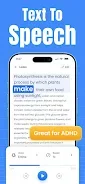
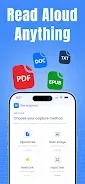
Text to Speech - Voice Reader is a practical Android application designed to transform written text into natural, human-like sound using advanced artificial intelligence voices. This versatile tool allows you to listen to a wide variety of content formats, including PDF, TXT, DOCX, and EPUB files, as well as web articles, emails, books, and personal notes. By consolidating these formats into a single interface, the app enhances productivity and learning efficiency, making it easier to consume information hands-free or while multitasking.
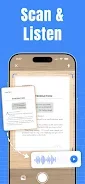
The app offers robust features for document and web page reading. Users can paste URLs to listen to articles, reports, scientific papers, or emails directly through the built-in voice reader. Additionally, the image scanning capability allows you to import photos, screenshots, or scanned pages, converting printed or captured text into audio instantly.
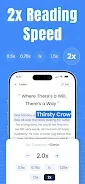
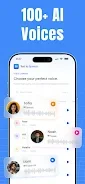
You can also type or paste text directly into the reader to hear it spoken by AI voices, ensuring flexibility in how you input content. With support for over 100 languages, the app provides realistic voices with natural pronunciation and expression. Users can customize their listening experience by adjusting speech speed, pitch, volume, and accent to suit their preferences.
How to install the app
- Check the version, Android compatibility, developer and source in the app details block.
- Open the official app page on Google Play if a link is available.
- Before installing, review app permissions and use only sources you trust.
Frequently asked questions
What file formats does the app support?
The app supports PDF, TXT, DOCX, EPUB files, web URLs, and images via scanning.
Can I adjust the voice settings?
Yes, you can adjust speech speed, pitch, volume, and accent for a customized listening experience.
Does the app support multiple languages?
Yes, it offers realistic AI voices in over 100 languages for diverse content consumption.
Similar apps







No comments yet. Be the first!