
Translator for All Languages
DownloadApp details
- Version
- 2.2.5
- Updated
- 27.09.2026
- Category
- Tools
- Compatibility
- Android 10+
- Package name
com.english.translate.to.all.languages.free.audio.translation- Source
- Official Google Play page
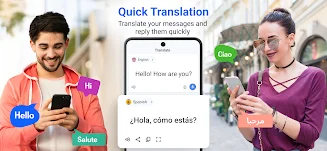
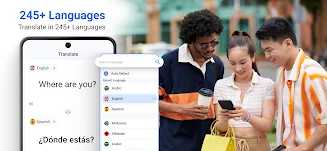
Stay connected with people from around the globe using the Translator for All Languages app, your indispensable AI translator for quick, accurate, and natural translations anytime, anywhere. Whether you're traveling, chatting with friends from different countries, learning new languages, or closing business deals, this smart voice translator ensures seamless real-time translation exactly when you need it. Key features include instant text translation in over 240 languages, perfect for messages, emails, notes, or quick queries.
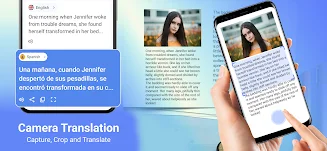
The voice translator allows you to speak naturally and hear translations in real-time, making communication effortless. With the conversation mode, enjoy true two-way translation for live, personal discussions without delays. Capture menus, signs, books, or any printed text with the camera translator for instant on-screen translations.
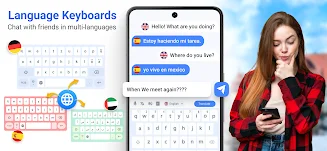
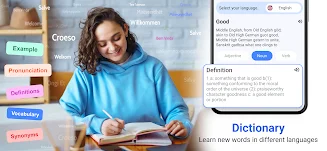
The built-in English dictionary enhances your experience by allowing you to search for words and phrases, definitions, examples, and context in any language. You can even add translations directly to your favorite keyboard, making it easy to translate while writing emails or using social media. Additionally, upload document files like PDFs or text documents for instant translations, ideal for work reports, study materials, or travel.
The Translator for All Languages app is essential for travelers, students, and professionals who need precise translations in their daily lives.
How to install the app
- Check the version, Android compatibility, developer and source in the app details block.
- Open the Downloads tab and use the official source or an available catalog link.
- Before installing, review app permissions and use only sources you trust.
Frequently asked questions
What languages does the Translator for All Languages support?
It supports instant text translation in over 240 languages.
Can I translate documents using this app?
Yes, you can upload document files like PDFs for instant translation.
Is the voice translation feature easy to use?
Absolutely! Just speak, and the app provides real-time voice translations.
Is there a camera translation feature?
Yes, you can use the camera to translate printed text instantly.
Similar apps






No comments yet. Be the first!