
Type Rush
DownloadApp details
- Version
- 1.1
- Updated
- 06.10.2026
- Category
- Educational
- Compatibility
- Android 7.0+
- Package name
com.zyventa.typerush- Developer
- Zyventa Solution
- Source
- Official Google Play page
Type Rush is a refined and engaging application designed to test and improve your typing proficiency. Created with the goal of helping you measure and enhance your keyboard typing skills, this tool is ideal for beginners who are just learning the basics of typing as well as for experienced users who strive for mastery. The application allows you to type various texts, monitor your productivity in real time, and challenge yourself to improve your accuracy and speed.
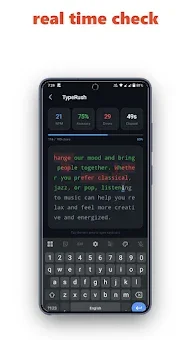
It serves as a practical instrument for anyone looking to upgrade their typing game without unnecessary distractions. The main features of Type Rush include real-time words per minute (WPM) tracking, which gives you an immediate understanding of your pace. You can monitor your typing accuracy during the session, receiving detailed feedback on each character.
Incorrect and correct symbols are highlighted in different colors, allowing you to easily identify errors and analyze them. This visual feedback is crucial for correcting bad habits and ensuring that your fingers hit the right keys consistently. The application offers several difficulty levels, so you can choose the ideal speed for your skill set.
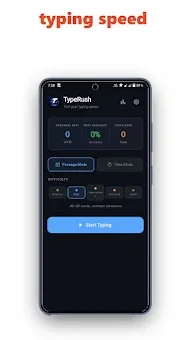
Conveniently, you can select the duration of the test: 15, 30, 60, or 120 seconds. This flexibility allows you to plan training sessions according to your schedule and goals.
How to install the app
- Check the version, Android compatibility, developer and source in the app details block.
- Open the Downloads tab and use the official source or an available catalog link.
- Before installing, review app permissions and use only sources you trust.
Frequently asked questions
Does Type Rush require an internet connection to work?
No, Type Rush works completely offline. You do not need an internet connection to take tests or save your results, making it accessible anywhere.
What typing durations are available in Type Rush?
You can choose from 15, 30, 60, or 120-second test durations. This flexibility allows you to plan training sessions according to your schedule and goals.
How does Type Rush help improve typing accuracy?
It highlights incorrect and correct symbols in different colors, providing detailed feedback on each character. This helps you identify errors and analyze them effectively.
Can I track my progress over time in Type Rush?
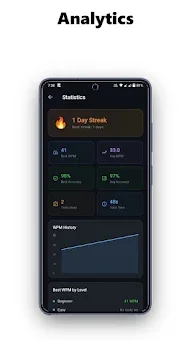
Yes, the application saves personal records, statistics, and tracks your progress over time. You can view your dynamics and stay motivated to improve further.
Similar apps

No comments yet. Be the first!