
Ulysse Speedometer Pro
Open in Google PlaySpaceAPK does not provide APK files. A listed Google Play link is a reference: check the store for availability, version, price and paid features. The catalog version is not offered as a downloadable file.
App details
- Recorded version
- 1.9.88
- Updated
- 03.12.2021
- Category
- Arcade
- Compatibility
- Android 2.3
- Package name
com.binarytoys.speedometerpro- Source
- Google Play reference
Transform your Android smartphone into a powerful vehicle diagnostic tool with Ulysse Speedometer Pro. This application leverages high-precision GPS technology to provide accurate real-time speed data, effectively replacing or supplementing your car's built-in dashboard instruments. Whether you are driving a car, riding a motorcycle, or cycling, the app delivers reliable performance metrics directly on your screen, ensuring you always know your exact velocity with minimal lag.
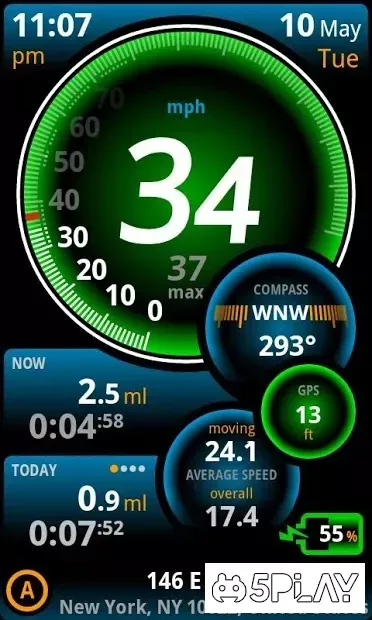
The interface is designed for intuitive use, offering a clean and customizable layout that displays all critical information at a glance. Beyond basic speed tracking, the app includes a built-in GPS compass to help you navigate directionally, along with altitude monitoring to show your height above sea level. You can also track total distance traveled, average speed, and maximum speed reached during your trips, making it a comprehensive tool for both casual drivers and serious enthusiasts who want to monitor their performance.
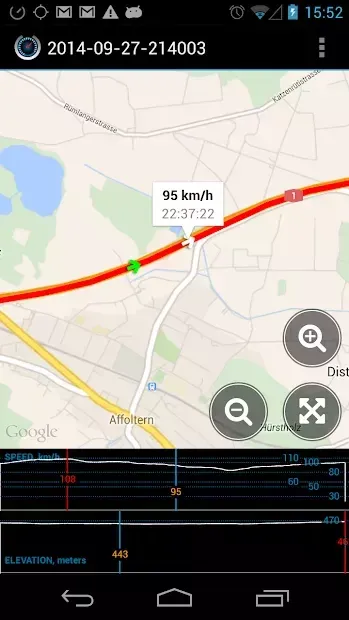
Ulysse Speedometer Pro goes further by providing detailed trip statistics and data logging capabilities. The application records essential geographic data, time elapsed, and distance covered, storing this information automatically for later review. This feature is particularly useful for analyzing driving patterns, calculating fuel efficiency based on distance, or keeping a log of your journeys over time.
Availability and source
- Check the version, Android compatibility, developer and source in the app details block.
- Open the official app page on Google Play if a link is available.
- Before installing, review app permissions and use only sources you trust.
Frequently asked questions
Does Ulysse Speedometer Pro work without an internet connection?
Yes, the app uses GPS satellites to determine your speed and location, so it functions accurately even without an active internet data connection.
Can I track my speed history after a trip is finished?
Absolutely. The app automatically saves your trip data, including maximum speed, average speed, distance, and duration, allowing you to review your history later.
What additional metrics does the app provide besides speed?
In addition to speed, the app provides altitude above sea level, a GPS compass for direction, total distance traveled, and elapsed time for each journey.
How do I set up a speed limit warning?
You can easily configure a speed limit threshold in the settings. Once set, the app will trigger an audible alert whenever your GPS speed exceeds the limit you defined.
Similar apps





No comments yet. Be the first!