

Vex Player Pro
Open in Google PlaySpaceAPK does not provide APK files. A listed Google Play link is a reference: check the store for availability, version, price and paid features. The catalog version is not offered as a downloadable file.
App details
- Recorded version
- 1.1
- Updated
- 14.09.2026
- Category
- Tools
- Compatibility
- Android
- Package name
com.vexplayer.pro- Source
- Google Play reference
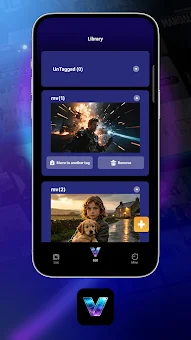
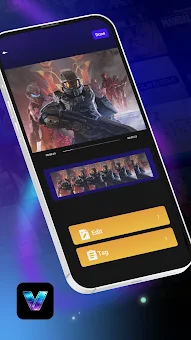
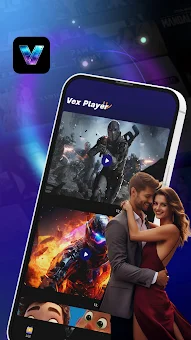
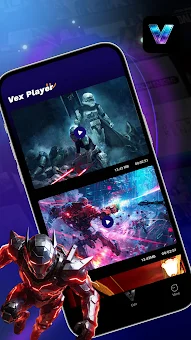
Vex Player Pro is a robust and intuitive video editing application designed for Android users who want to transform their ideas into high-quality video clips with ease. This tool is ideal for creating personalized videos, social media content, and capturing memorable life moments or various other projects. The core philosophy of the program focuses on providing a simple and effective editing experience, allowing you to process video footage without unnecessary complexity or confusing workflows.
It is the perfect instrument for quickly creating personalized content that stands out. One of the main advantages of Vex Player Pro is its accessibility, even for beginners. You do not need deep knowledge of video production to create a professional-looking result.
The interface is designed to minimize the number of steps required to achieve basic effects. You can easily trim, copy, and rearrange video clips, add music or text if the functionality allows, and export the finished material in a convenient format. This program allows you to quickly implement creative ideas without spending hours learning complex instruments.
This makes Vex Player Pro an ideal choice for those who value their time and want to receive quality content operationally. The application will be useful for a wide range of users. Bloggers and influencers can quickly prepare content for Instagram, TikTok, or YouTube Shorts, adapting videos to the specifics of each platform.
Availability and source
- Check the version, Android compatibility, developer and source in the app details block.
- Open the official app page on Google Play if a link is available.
- Before installing, review app permissions and use only sources you trust.
Frequently asked questions
Is Vex Player Pro free to download on Android?
Yes, Vex Player Pro is available for free download as an APK file for Android devices, making it accessible to a wide range of users without upfront costs.
What features does Vex Player Pro offer for editing?
The app allows users to trim, copy, rearrange clips, add music and text, and export videos in convenient formats with a simple, intuitive interface.
Is Vex Player Pro suitable for beginners?
Absolutely. The interface is designed to minimize complexity, allowing beginners to create professional-looking videos without deep knowledge of video production.
Similar apps






No comments yet. Be the first!
Leave a comment