

Video Player Pro - All Format
DownloadApp details
- Version
- 5.40
- Updated
- 03.10.2026
- Category
- Themes and launcher Android
- Compatibility
- Android 7.0+
- Package name
com.allformats.video.player.videoplayer- Source
- Official Google Play page
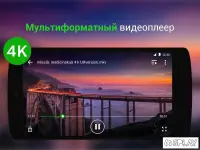
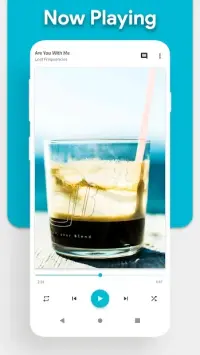
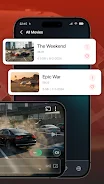
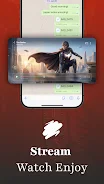
Introducing Video Player Pro - All Format: the ultimate solution for all your video playback needs. With powerful features and a user-friendly interface, this app is designed to elevate your viewing experience to a whole new level. Whether you're watching movies, TV shows, or your home videos, Video Player Pro will be your indispensable assistant.
This versatile player supports all major video formats including MP4, AVI, MKV, MOV, and many more, so you can forget about compatibility issues. Enjoy seamless playback with advanced hardware acceleration technology that ensures continuous viewing without delays or stutters. Navigating through your favorite videos is a breeze thanks to the intuitive controls that make finding what you want easy and fast.
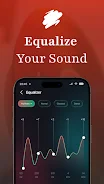
Video Player Pro also offers a wide range of customizable settings such as playback speed, aspect ratio, and screen orientation, allowing you to personalize your viewing experience to suit your preferences. With built-in subtitle support, you can enjoy foreign films or enhance dialogue clarity, making it easier to follow along. Immerse yourself in the cinematic world with enhanced audio quality, including surround sound support and equalizer controls.
Plus, manage playback effortlessly with simple gestures — scroll, zoom, and pause with just a touch. Activate the screen lock feature to prevent accidental touches while watching. Video Player Pro - All Format is the perfect video companion for your Android device.
Whether you're an occasional viewer or a movie buff, this app has everything you need for a comfortable viewing experience. Enjoy high-quality playback with Video Player Pro!
How to install the app
- Check the version, Android compatibility, developer and source in the app details block.
- Open the Downloads tab and use the official source or an available catalog link.
- Before installing, review app permissions and use only sources you trust.
Frequently asked questions
What video formats does Video Player Pro support?
Video Player Pro supports all major formats including MP4, AVI, MKV, and MOV.
Can I customize the playback settings?
Yes, you can adjust playback speed, aspect ratio, and screen orientation.
Does it support subtitles?
Yes, Video Player Pro has built-in subtitle support for enhanced viewing.
Is there a screen lock feature?
Yes, you can enable screen lock to avoid accidental touches while watching.
Similar apps









No comments yet. Be the first!