

Wakey: Keep Screen On
DownloadApp details
- Version
- 12.1.0
- Updated
- 05.10.2026
- Category
- Tools
- Compatibility
- Android 12+
- Package name
com.doublep.wakey- Developer
- Kanetik
- Source
- Official Google Play page
Are you tired of your Android device turning off at the most inconvenient moments? Wakey: Keep Screen On is a smart utility designed to prevent your screen from sleeping during reading, navigation, gaming, or work. This application gives you full control over the timeout settings, allowing you to keep the display active on your own terms.
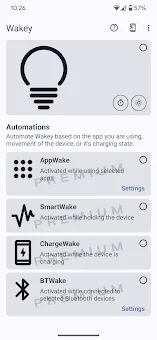
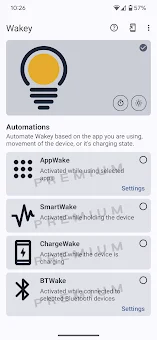
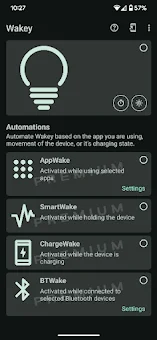
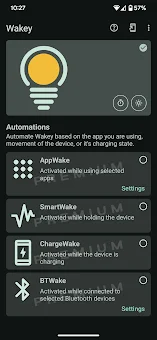
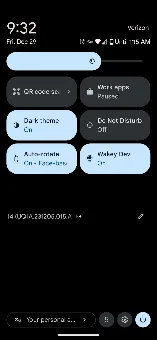
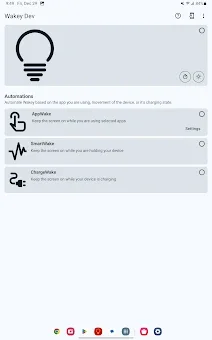
Whether you need a bright screen for maps, dimmed light for night reading, or complete darkness while the phone is in your pocket, Wakey handles it perfectly. The app offers powerful manual controls to toggle the stay-awake mode via a notification icon, settings tile, or home screen widget. You can set custom timers for specific tasks and choose brightness levels ranging from dimmed to maximum.
The idle dimming feature keeps the screen on but reduces brightness during inactivity, saving battery life. Additionally, the pocket mode fully darkens the display to prevent accidental touches when the phone is in your pocket. Wakey Premium unlocks advanced automation features without a subscription.
The SmartWake function automatically keeps the screen on when the device is in motion, ideal for reading ebooks or following recipes while cooking. AppWake keeps the screen active when specific apps are in the foreground, benefiting gamers, musicians, or users with limited mobility. The accessibility service only tracks active apps, ensuring privacy by not recording screen content, text, or camera data.
How to install the app
- Check the version, Android compatibility, developer and source in the app details block.
- Open the Downloads tab and use the official source or an available catalog link.
- Before installing, review app permissions and use only sources you trust.
Frequently asked questions
How does Wakey prevent the screen from turning off?
Wakey overrides the default system timeout by keeping the display active based on your custom settings, timers, or motion detection.
Is the Wakey app free to use?
Yes, the core features are free. Premium automation features like SmartWake and AppWake are available without a subscription.
Does Wakey record my screen content?
No, the accessibility service only tracks active applications to determine screen state, ensuring your privacy and data security.
What is the pocket mode feature?
Pocket mode darkens the display completely when the phone is in your pocket to prevent accidental touches and save battery life.
Similar apps





No comments yet. Be the first!