

WiFi Spectra: Net Analyzer
Open in Google PlayApp details
- Version
- 1.0.0
- Updated
- 18.09.2026
- Category
- Tools
- Compatibility
- Android
- Package name
com.wfspectra.analyzer.arnxary- Source
- Official Google Play page
WiFi Spectra: Net Analyzer is a comprehensive network analysis tool designed to provide clear and detailed insights into your Wi-Fi environment. Whether you are a system administrator managing a large infrastructure, a cybersecurity enthusiast probing for vulnerabilities, or a home user wanting to understand who is connected to your network, this app delivers the necessary data for informed decisions. It effectively combines diagnostics with deep monitoring capabilities, ensuring you have a complete picture of your network's health and performance at any given time.
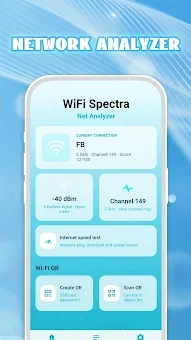
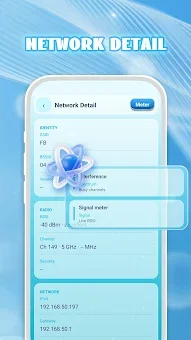
The core functionality allows for full control over your network environment through a comprehensive scan feature. This tool easily identifies detailed information about all devices connected to your Wi-Fi, including the network name, router MAC address, signal strength, IP address, frequency band, and other vital parameters. By visualizing Wi-Fi channels and signal levels, the app helps you find the cleanest channel for connection, optimizing wireless productivity and effectively combating interference and latency issues to ensure a stable connection.
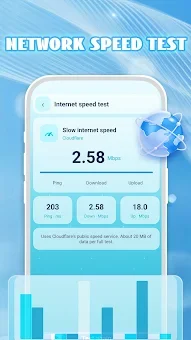
In addition to device discovery, the built-in internet speed test allows you to instantly verify download and upload data rates, as well as latency. This provides accurate estimates of your connection's actual throughput, helping you troubleshoot slow speeds or connectivity drops.
How to install the app
- Check the version, Android compatibility, developer and source in the app details block.
- Open the official app page on Google Play if a link is available.
- Before installing, review app permissions and use only sources you trust.
Frequently asked questions
What devices can WiFi Spectra: Net Analyzer detect?
The app detects all devices connected to your Wi-Fi network, displaying details such as IP address, MAC address, and signal strength for each connected device.
Does the app collect personal user data?
No, WiFi Spectra: Net Analyzer is designed with privacy in mind and does not collect any personal information from its users, ensuring a secure scanning experience.
How does the app help improve Wi-Fi performance?
It visualizes Wi-Fi channels and signal levels, allowing you to identify the least congested channel to reduce interference and improve connection stability and speed.
Can I test my internet speed with this app?
Yes, the app includes a built-in internet speed test that measures download and upload rates, as well as latency, to give you an accurate assessment of your connection quality.







No comments yet. Be the first!